How to Make a Felt Busy Book with the xTool M2 (+ Free Pattern)
This post may contain affiliate links. As an Amazon Associate I earn from qualifying purchases.
Okay friends, I made my very first felt busy book, and I am SO proud of how it turned out! We had a 10-hour drive to see family for Thanksgiving, and I needed another trick or two up my sleeve to keep my 4-year-old busy in the car without a screen.
He’s all about matching, letters and especially math right now. So I designed a book that does all three, and I cut every single piece on my M2 laser cutter. In this post, I’ll share how you can do it too!
Let’s dig in!
At a Glance
- The project: a DIY felt busy book with letter matching, spelling, math, counting and a Christmas tree page
- Skill level: beginner (this was my first felt board—and the machine did most of the hard work!). And, NO sewing required (thanks, hot glue!)
- Time needed: 1-2 hours
- What you’ll need: felt sheets, masking tape, ring clips, hot glue and an xTool M2
- Perfect for: toddlers and preschoolers, road trips, restaurants and church
We have a lot to cover, so feel free to jump ahead or hang with me the whole time!
What is a felt busy book?
A felt busy book (also called a felt activity book) is a binder of felt pages with loose felt pieces that kids move around to match, count, sort and build. Felt naturally clings to felt, so nothing needs Velcro or sewing. It’s a quiet, screen-free activity that fits in a backpack, which makes it perfect for car rides, waiting rooms and church.
Supplies you’ll need
Here’s everything I used to make our felt busy book:
- xTool M2: cuts felt perfectly with the built-in Felt preset in xTool Studio
- Felt sheets: 50 stiff colors, so every page can have its own look
- Masking tape: holds felt flat on the laser bed
- Ring clips: hold the pages together and make it easy to add more later
- Hot glue gun and glue sticks: for the pieces that stay put
- Desktop air purifier: handles the smoke and smell, and turns itself on and off with the laser
I’ll add that you don’t HAVE to have the M2 to do this project. You could absolutely cut it all by hand…but that’s a lot of work and I personally don’t have the time or patience to do so!
By the way, felt is just one of dozens of materials the M2 can cut! It’s an incredible machine and my current favorite laser. Check out my full xTool M2 review to see what else this baby can do!
Get the free felt busy book pattern
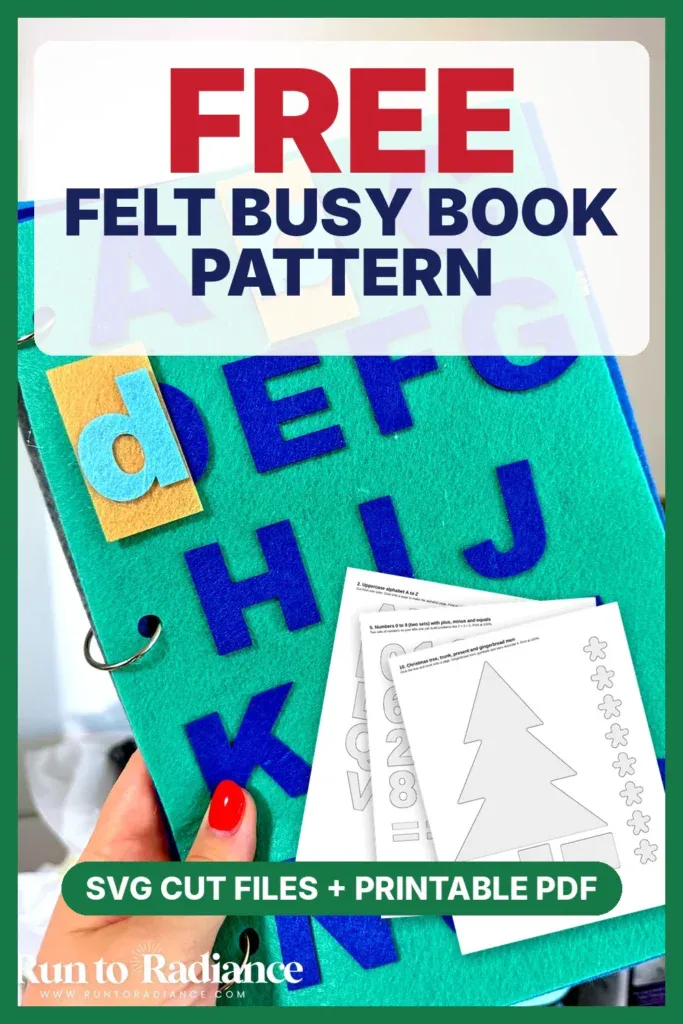
Want to make one too? I’m sharing the exact files I cut for this book: 10 SVG cut files that open in xTool Studio, plus a printable PDF if you’d rather cut by hand. Pop your email in below and the download starts as soon as you confirm.
How to make a felt busy book with the xTool M2
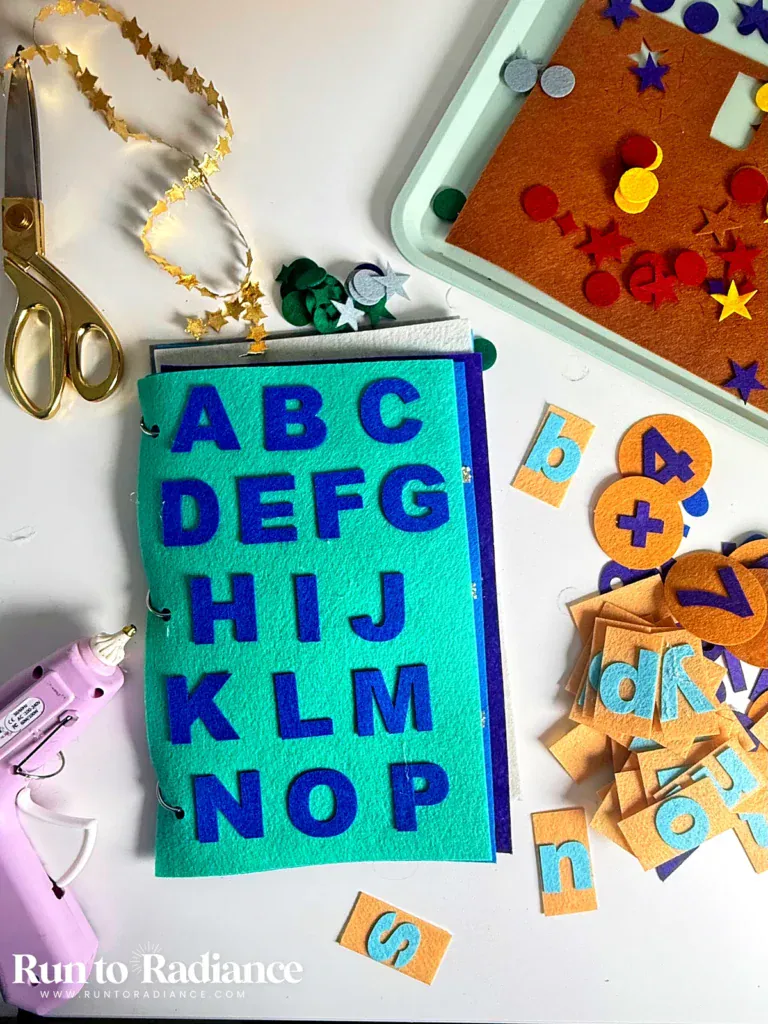
Multifunction was key for me. I wanted every page to do more than one job, so the same pieces work for matching, spelling, math and decorating. I’m pretty proud of what I dreamed up!
- Design your pieces. I made every file using the shapes right inside xTool Studio. Circles, stars, letters, numbers and even fun little shapes like gingerbread men and Christmas trees are all built in, so you don’t need to draw anything!
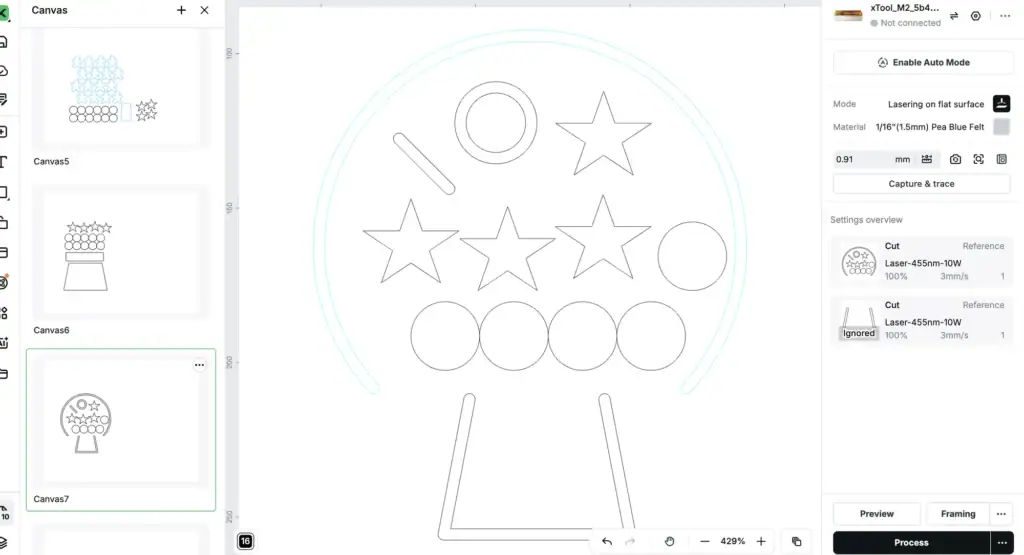
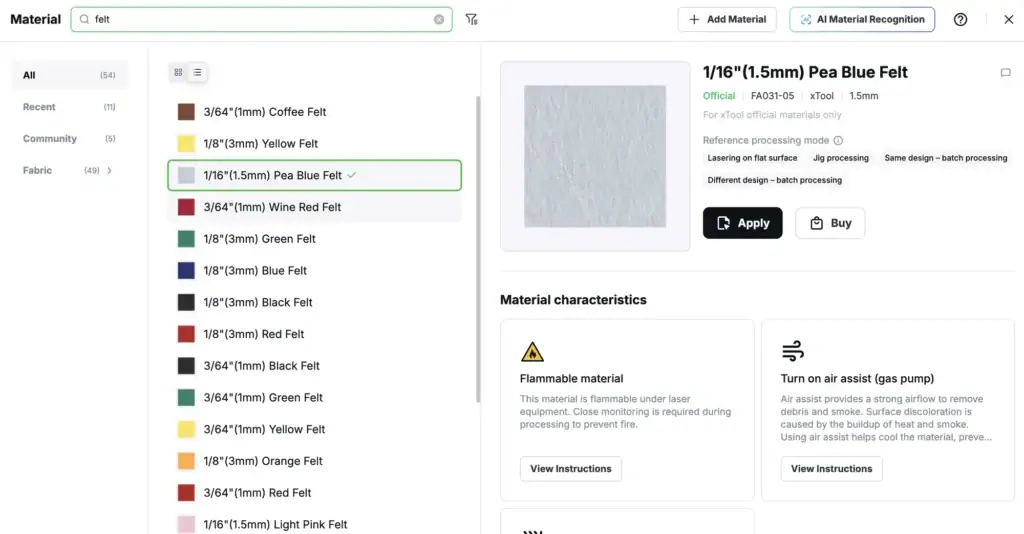
- Pick your felt preset. Pull up a new canvas, then search “Felt” in the materials list. It brings up a list of felt colors and sizes, so pick the one that matches your sheet. The settings were perfect for me on the first try.
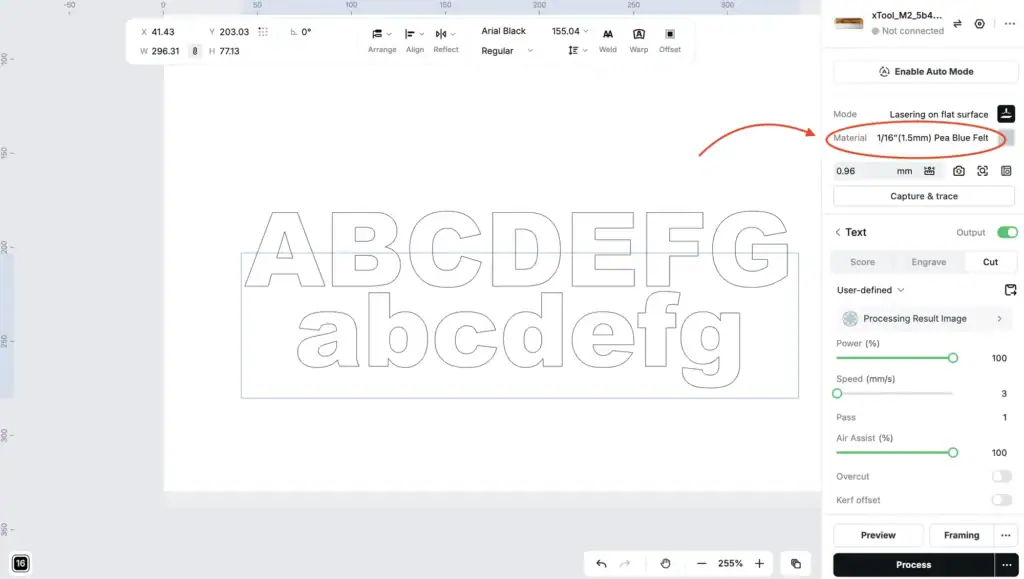
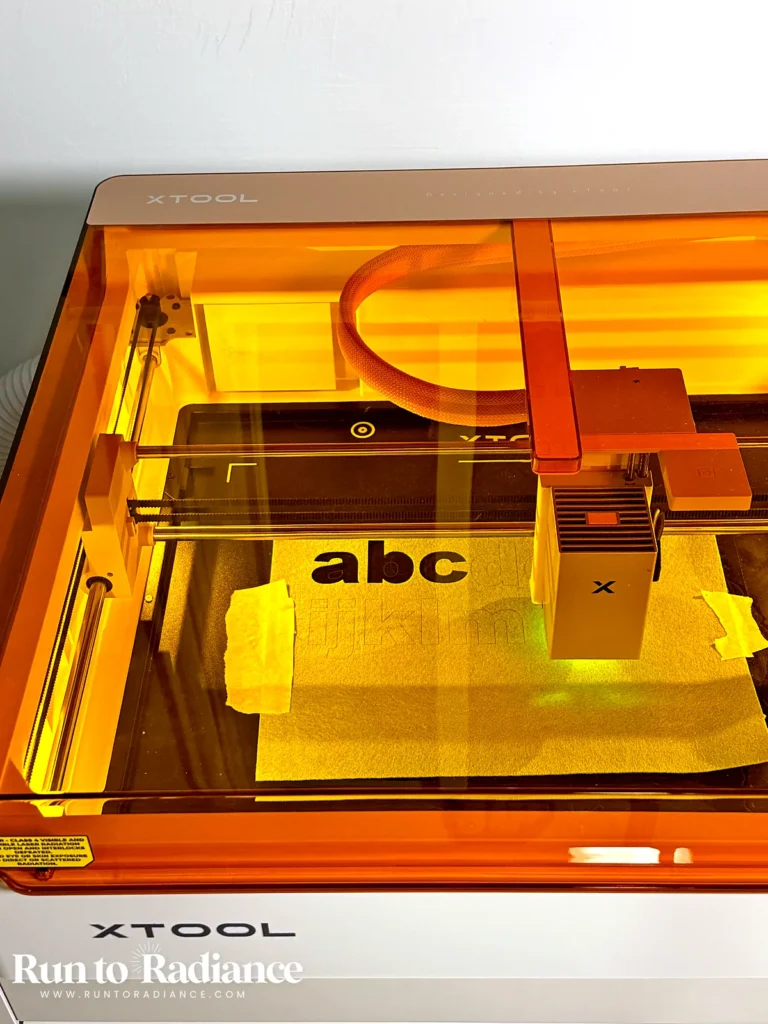
- Tape it down. Felt is light, so I secured each sheet to the laser bed with masking tape at the corners. That keeps it from shifting mid-cut.
- Hit start. The M2 cut every letter and number cleanly. My desktop air purifier switched on and off all by itself while it worked, which I loved.
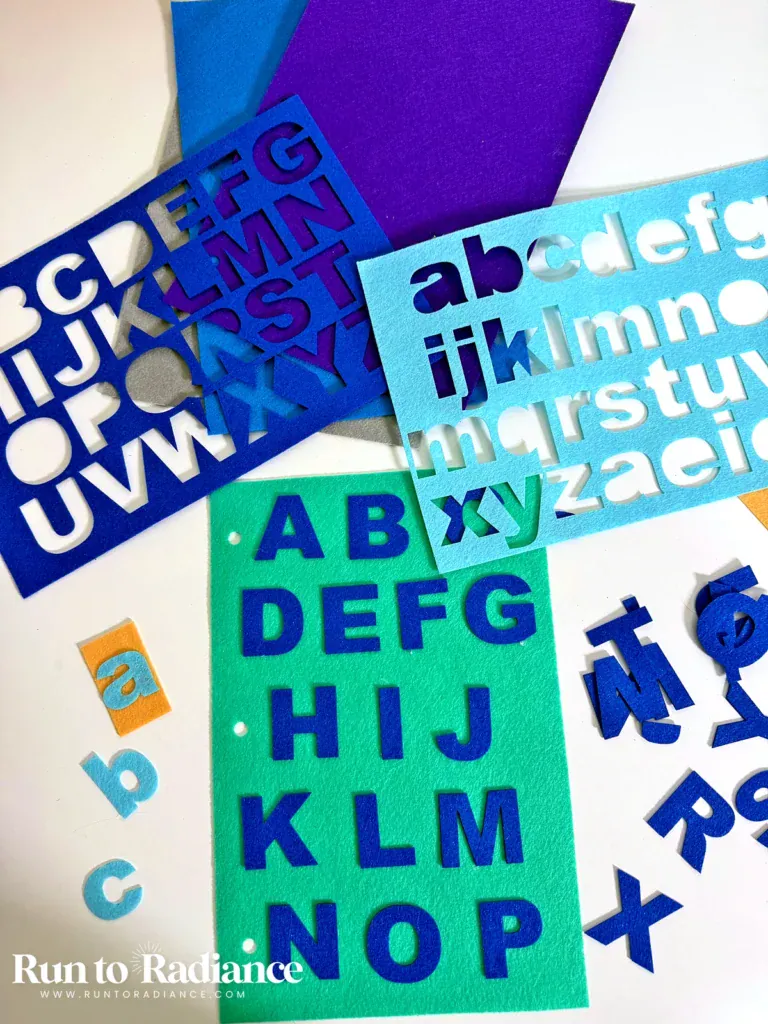
- Pop out your pieces. Gently push each letter out of the sheet. The leftover stencil sheets are fun to play with too!
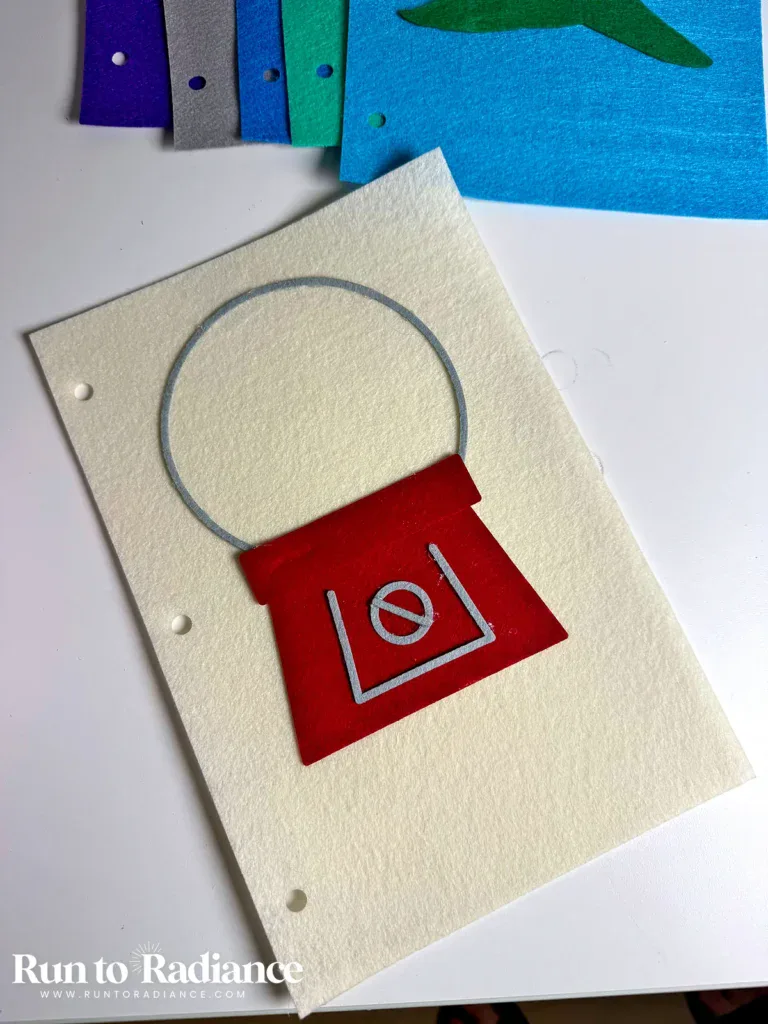
- Build your pages. I hot glued the pieces that stay put, like the gumball machine outline and the tree, onto felt pages. Then I had the M2 cut 3 holes along the edge of every page, so they all line up perfectly, and clipped them together with ring clips to make it a book.
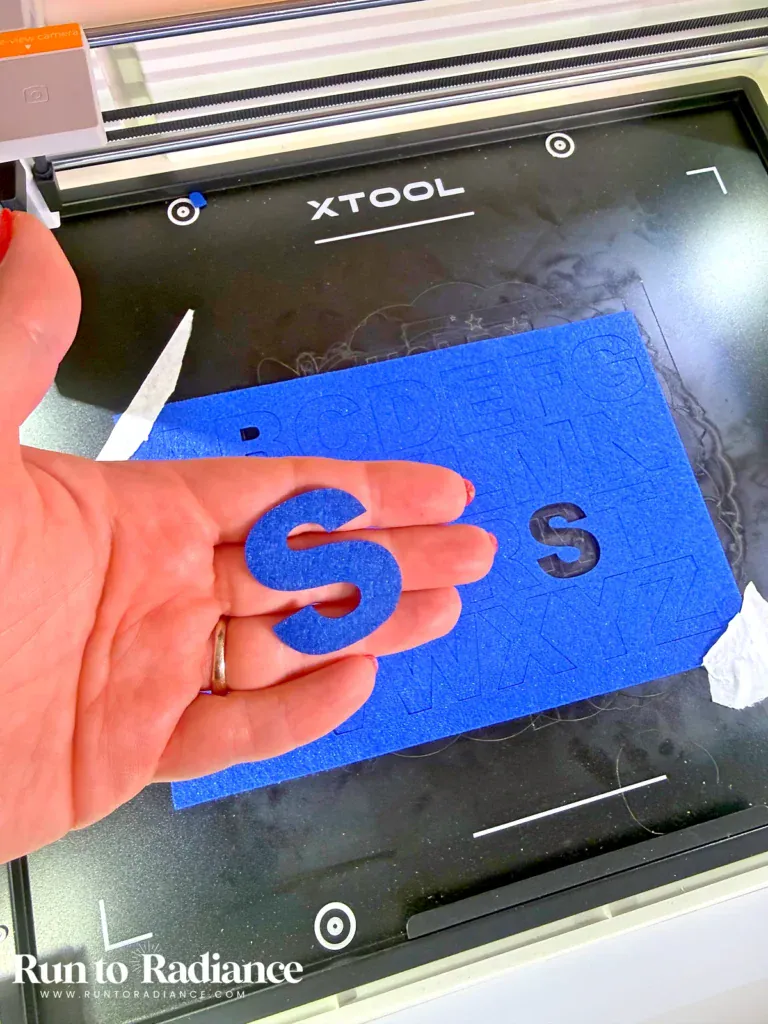
Quick tip: Cut all your letters in one color and your numbers in another. Your little one can sort them by color before they even know every letter!
Why felt color matters to a laser
Okay, as you can see there are a lot of different colors of felt and a lot of them have a different setting within the machine…for good reason.
I’ll be honest, there’s a little science here. But don’t be scared! I’m here to break it down, and it’s not as hard as you think.
Think about wearing a black T-shirt vs a white T-shirt on a hot summer day. The black shirt soaks up the sun and gets warm fast, while the white one bounces a lot of that light away. Laser light works the same way!
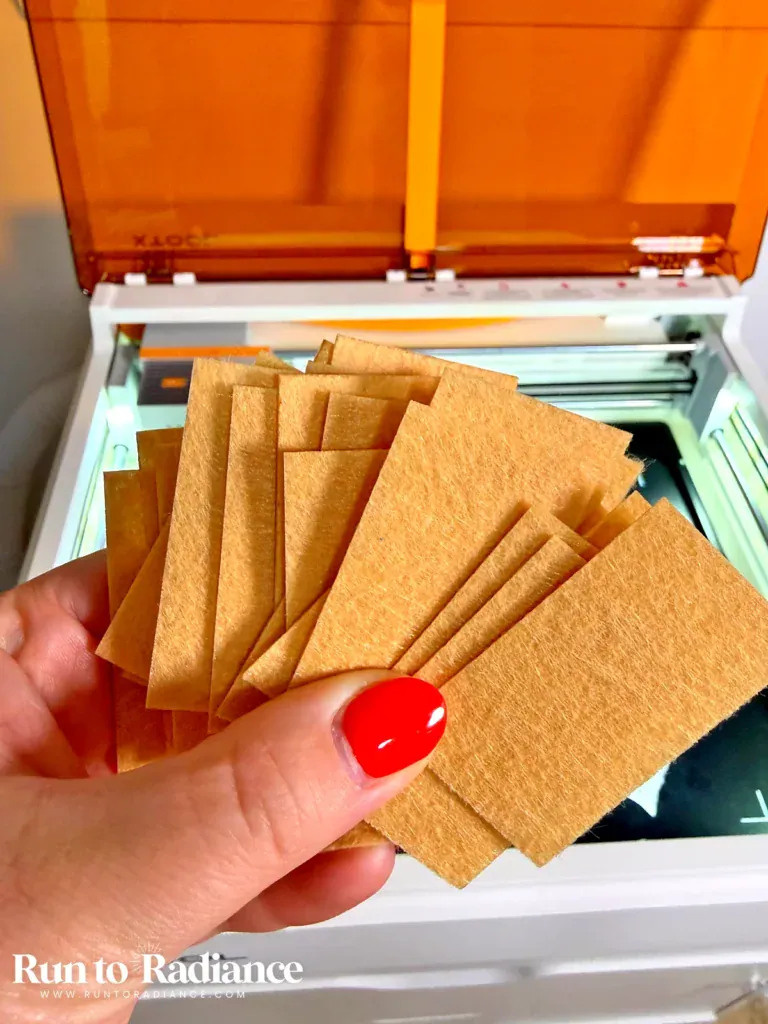
Darker felt absorbs more of the laser’s energy, so it cuts more easily. White and light-colored felt reflect more of it, so they need more power or a slower speed. The M2 cuts with a blue laser, so blue felt can bounce back more of that light too.
That’s exactly why xTool’s Felt preset lists each color separately. Just pick the color that matches your sheet, and the software handles the rest.
What to know before you grab that laser: Always run a small test cut on a scrap of new felt first. Felt from different brands can cut a little differently, even in the same color.
Felt busy book page ideas
Here’s every page in our book, and how my son plays with each one. The best part is that the pieces move from page to page!
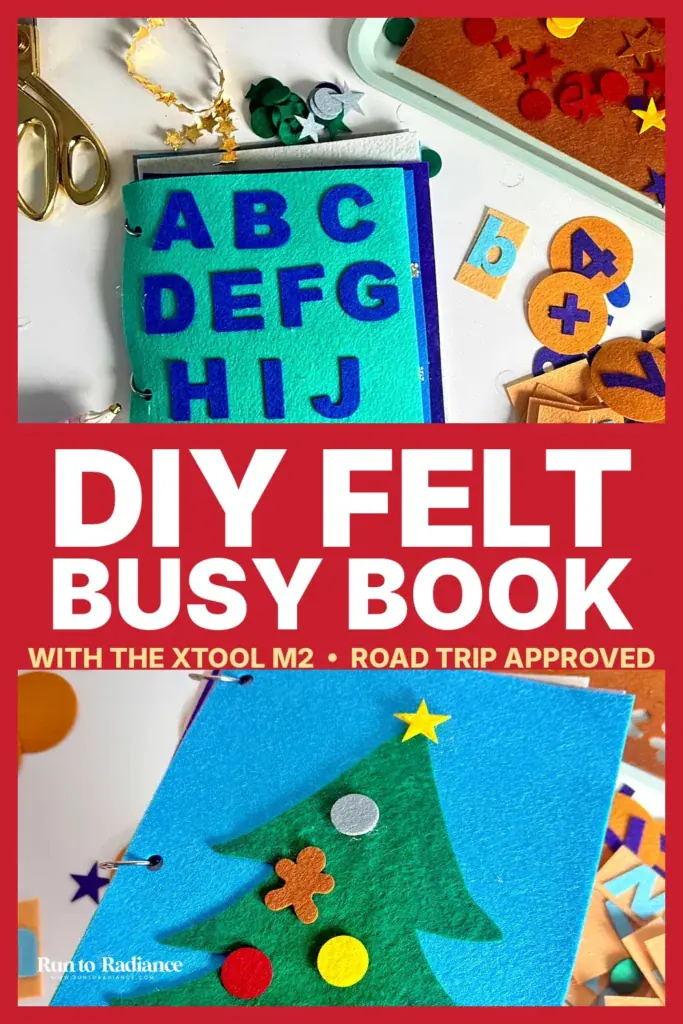
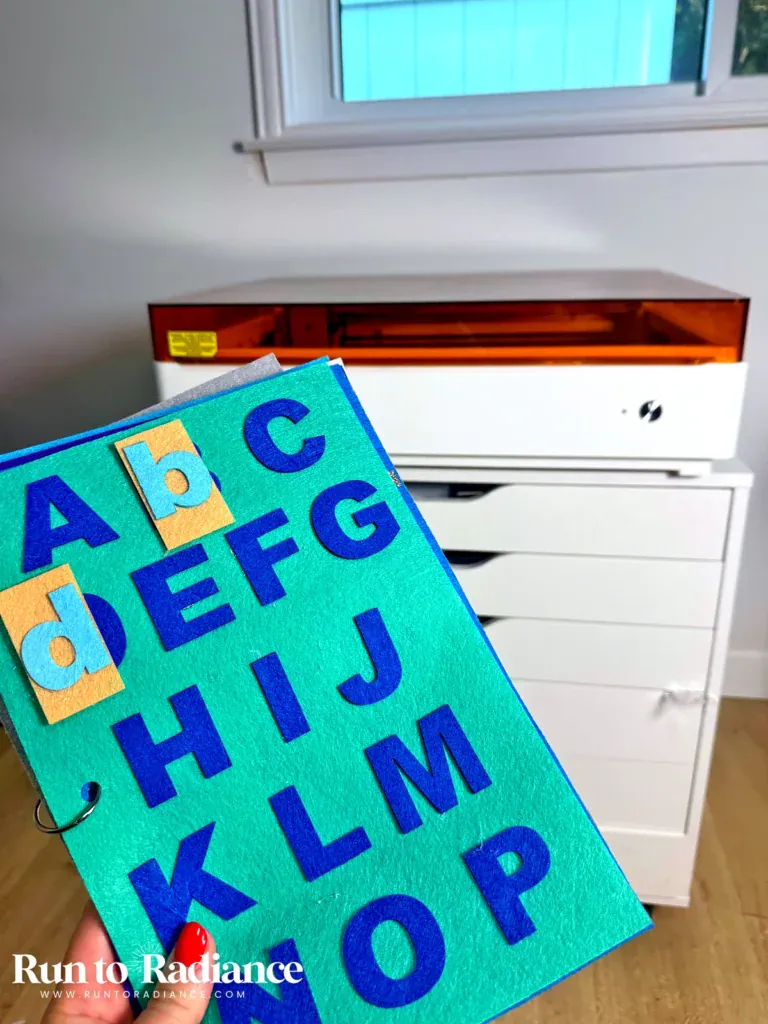
1. Uppercase alphabet page (letter matching)
The first page has all the capital letters. I cut the lowercase letters separately, so he can play a matching game by putting each small letter right on top of its big one.
2. Spelling with felt letters
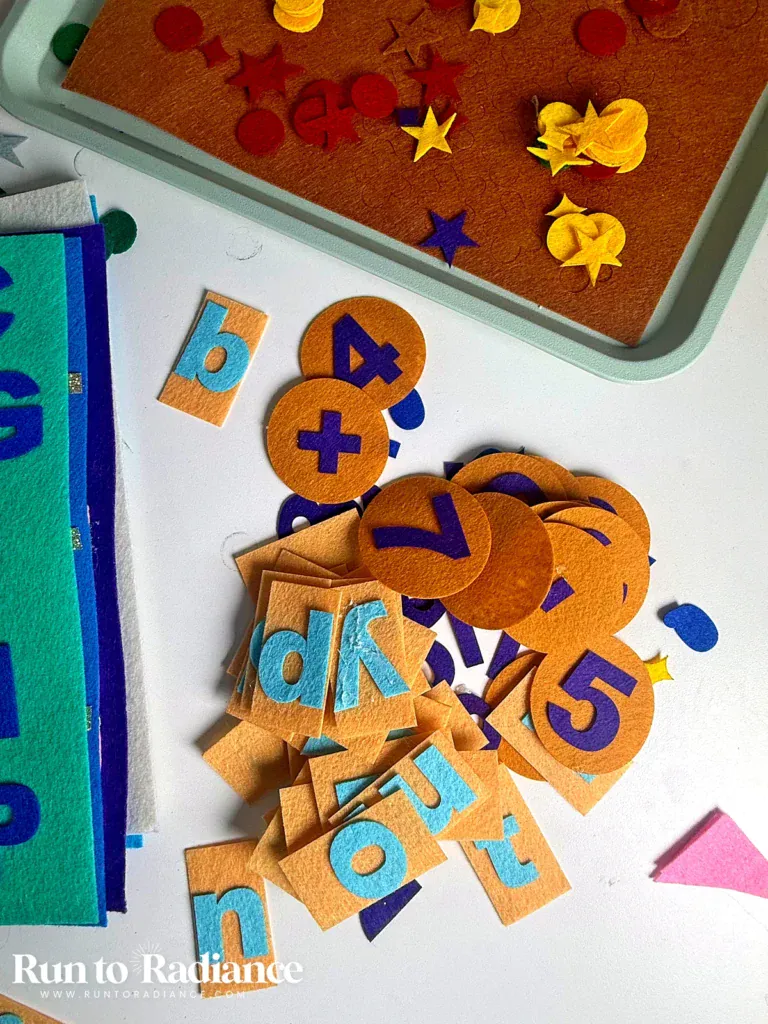
Those same lowercase letters double as spelling tiles. He spelled “cat,” “dog” and “mama” all by himself, and I’m not crying, you’re crying!
3. Lined page for spelling and math
I added a page with lines on it so he has a place to work. He uses it for spelling words, and also for math with felt numbers plus +, – and = signs. He even used the lines to put his numbers in order.
4. Gumball machine counting page
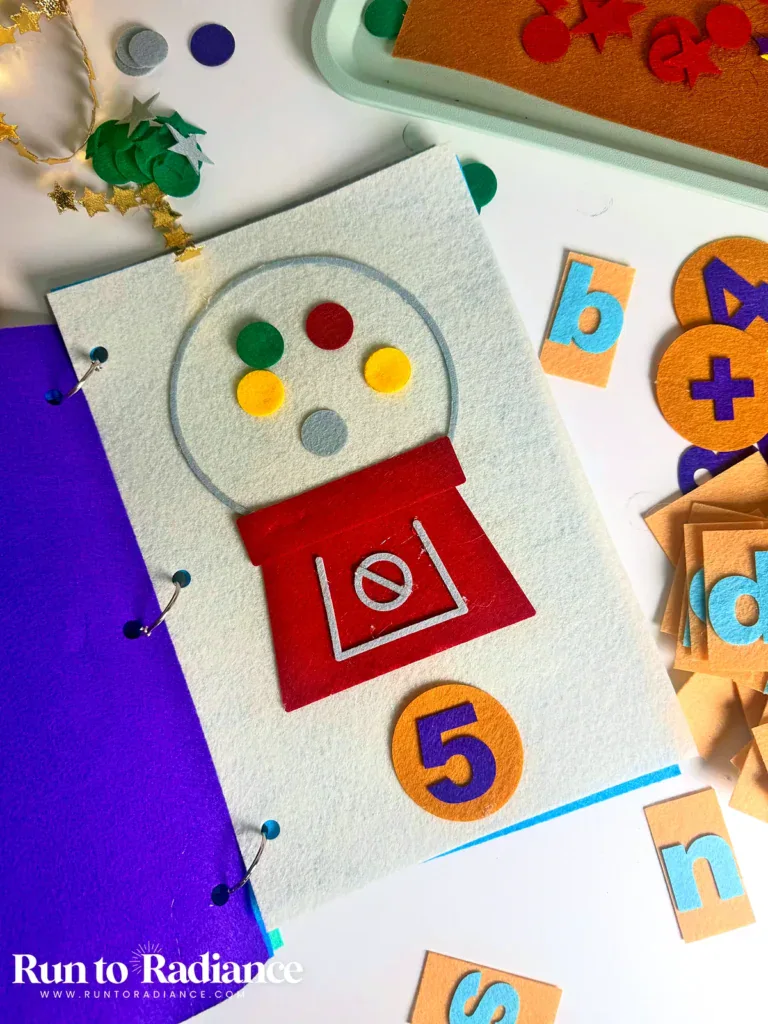
This one is his favorite! The gumball machine starts empty, so he fills it up with felt gumballs and puts the matching number underneath.
5. Felt Christmas tree page
The same gumballs turn into ornaments on a felt Christmas tree. Just for fun, I also cut out stars and little gingerbread men, and it was all a snap thanks to the M2. It’s such an easy way to make one felt busy book work for the holidays too.
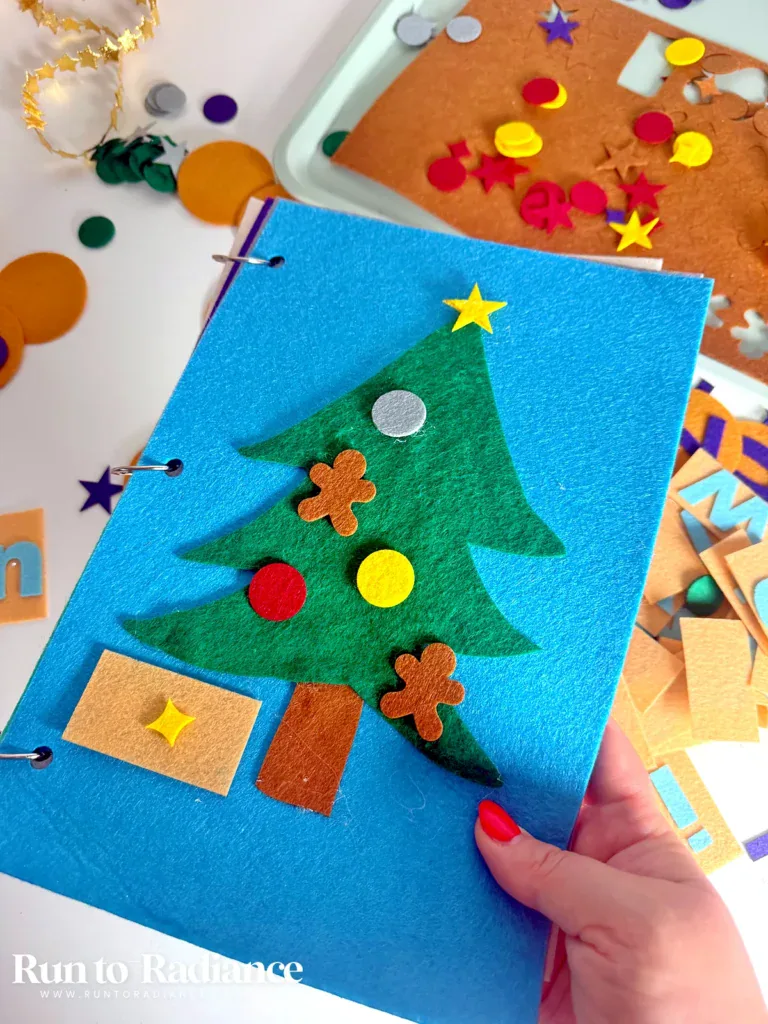
Expert tip: Want more Christmas pages? I made a felt banner on my M2 too, and the same settings work for ornaments, snowmen and stockings.
How it went on our road trip
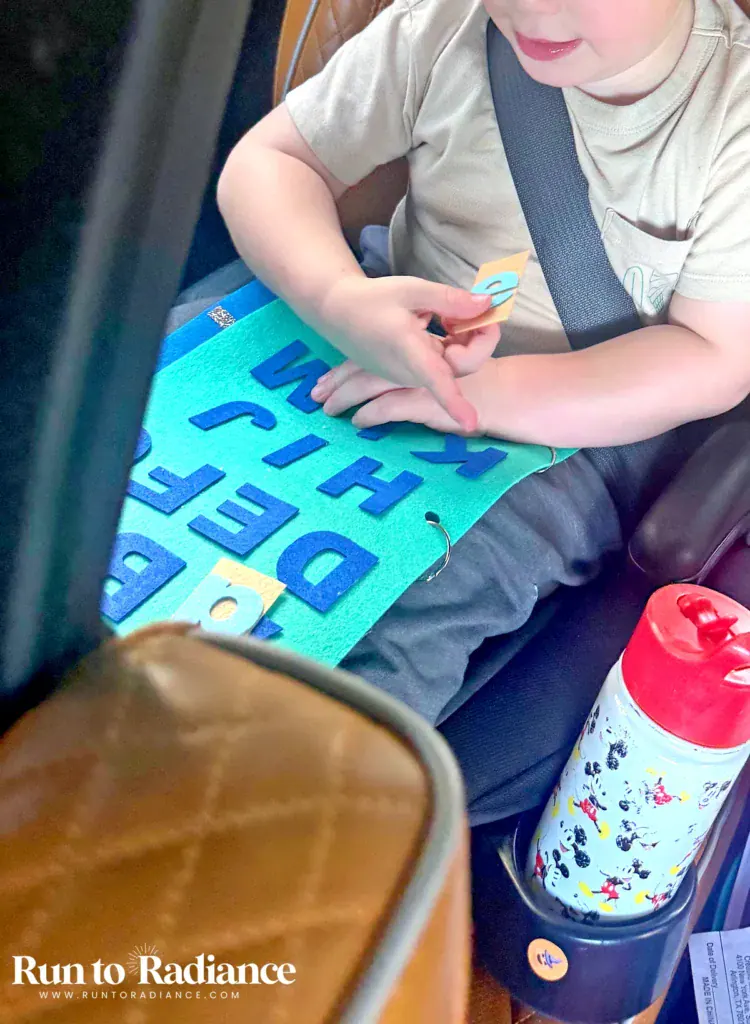
I’ll be honest, I lowered my expectations. He’s 4, and he’s a very active boy!
But he LOVED it. He played with his felt busy book for close to an hour in the car, which is basically an eternity for him. He kept playing with it once we arrived, too.
This was my first felt board, and I’m already planning more pages. It’s a great start, and it was worth every single penny.
Felt busy book vs quiet book
You’ll see both names on Pinterest, and they overlap a lot. Here’s how I think about it:
| Felt busy book | Quiet book | |
|---|---|---|
| How it’s made | Loose felt pieces on felt pages, often in a binder | Usually sewn fabric pages |
| What kids do | Match, sort, count, spell, decorate | Zip, button, snap, lace, tie |
| Sewing needed | None | Usually lots |
| Easy to add pages | Yes, just clip in a new one | Harder once it’s bound |
If you don’t sew (hi, it’s me!), a felt busy book is the easier one to make. And with a laser cutter, you can make every piece in an afternoon.
FAQ
Can the xTool M2 cut felt?
Yes! The M2 cuts felt cleanly with its blue laser. xTool Studio has a built-in Felt preset with settings for different colors and sizes, so you just pick the one that matches your sheet. Tape the felt down at the corners so it doesn’t shift, and run a small test cut first.
What color felt is best for laser cutting?
Darker felt cuts most easily because it absorbs more laser energy. White and light felt reflect more, so they need more power or a slower speed. That’s why the M2’s Felt preset lists each color separately. Pick the color that matches your sheet, and test on a scrap before cutting a full page.
What age is a felt busy book good for?
Mine is for my 4-year-old, who loves letters, matching and math. Toddlers can match colors and shapes, while preschoolers can spell short words, count and solve simple math. Pieces like small letters can be a choking hazard, so keep them for kids past the mouthing stage, and stay nearby while they play.
Do you need an air purifier to laser cut felt?
Cutting felt makes smoke and a smell, so you need good ventilation. I use a desktop air purifier with my M2, and it switched on and off by itself while the laser ran. If you don’t have one, vent the machine outside through a window, and never leave the laser running unattended.
Can’t wait to see what you create! Tag me if you make a felt busy book, because I’d love to see your pages.