13 Personalized Christmas Gifts to Make with the xTool M2
This post may contain affiliate links. As an Amazon Associate I earn from qualifying purchases.
Looking for personalized Christmas gifts that feel truly special this year? This gift guide is filled to the brim with DIY ideas you can make right at home with my new favorite crafting tool…the xTool M2!
I’ve made every single project on this list, and every one of them can be made on the oh-so-versatile M2. Some are quick little stocking stuffers. Others are the kind of keepsake people hold onto for years.
I promise you, these personalized gifts are going to be the hit of the holiday! So…let’s dig in!
Disclosure: xTool provided me with the xTool M2 to test and share. This post contains affiliate links, which means I may earn a commission if you purchase through my links, at no additional cost to you. All opinions are my own.
Quick Tips for Making Personalized Christmas Gifts with the xTool M2 ✨
- Always run a test first. xTool’s recommended settings are a great starting point, but every piece of wood is a little different. A quick test on a scrap saves your nice blanks.
- Basswood is your best friend. I use 3mm basswood for almost every project on this list. It’s light in color, engraves cleanly, and takes paint and ink beautifully.
- Mask your basswood for a clean finish. Cover the surface with masking before you engrave or cut. It keeps smoke and scorch marks off the wood, so your edges look crisp instead of toasty.
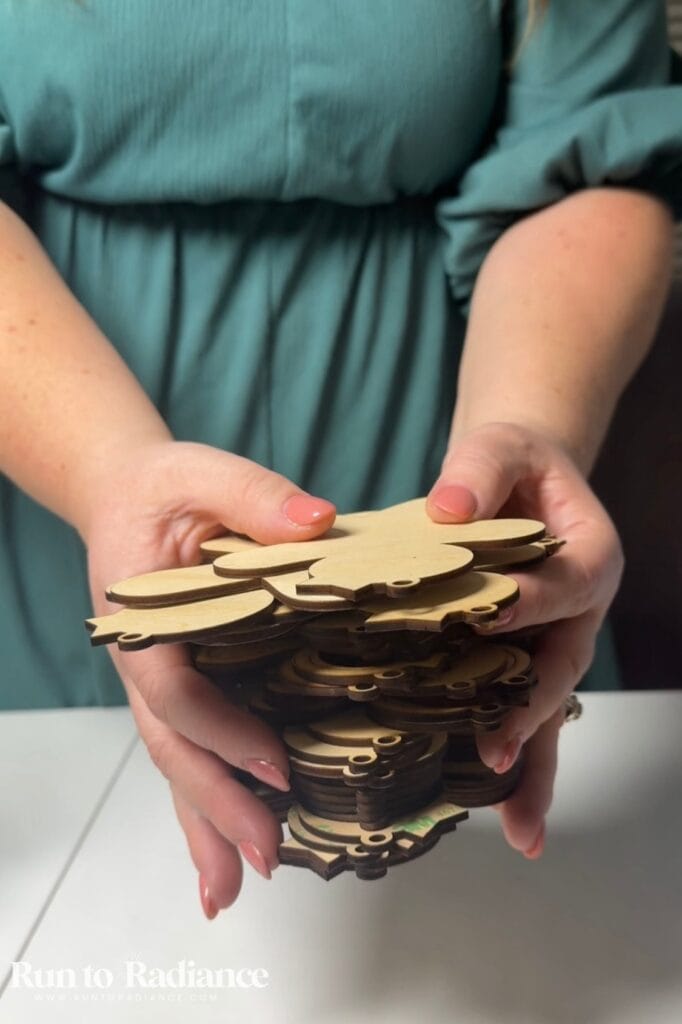
- Skip the glue for layered projects. Instead of gluing each layer by hand, cover the back of your basswood with 3M 467MP adhesive transfer tape before cutting. It’s a super strong, sticky tape that the laser cuts right along with the wood, so every piece comes out with its own built-in adhesive. Just peel and stick! Because the laser is cutting through an extra layer, you’ll need to adjust your cut settings (and run a test first!).
- Prep wood before printing photos. A matte white inkAid precoat or the xTool wood prep spray gives the brightest, crispest photos. Skip it if you love the warm look of natural wood grain!
- Make sure your materials are laser safe. There are a lot of brands that sell sticker paper or vinyl, but since we are cutting with a laser not a blade, you will need to make sure the items are laser safe! Be very careful!
- Wipe away char with rubbing alcohol. A microfiber cloth and a quick spritz of rubbing alcohol cleans up any char or residue from engraving and cutting.
There’s a lot of good stuff here! Jump to what you need, or stick with me start to finish.
What Is the xTool M2?
The xTool M2 is a craft machine that combines a 10W laser with full-color inkjet printing. The laser engraves and cuts materials like wood and leather, while the inkjet prints photos and artwork onto paper, canvas, and properly coated surfaces.
That combination makes it ideal for personalized gifts, home decor, and small-batch handmade products. It’s lots of fun to use and incredibly versatile!
I wrote an entire post showing everything this incredible machine can do, so I highly encourage you to check out my xTool M2 review!
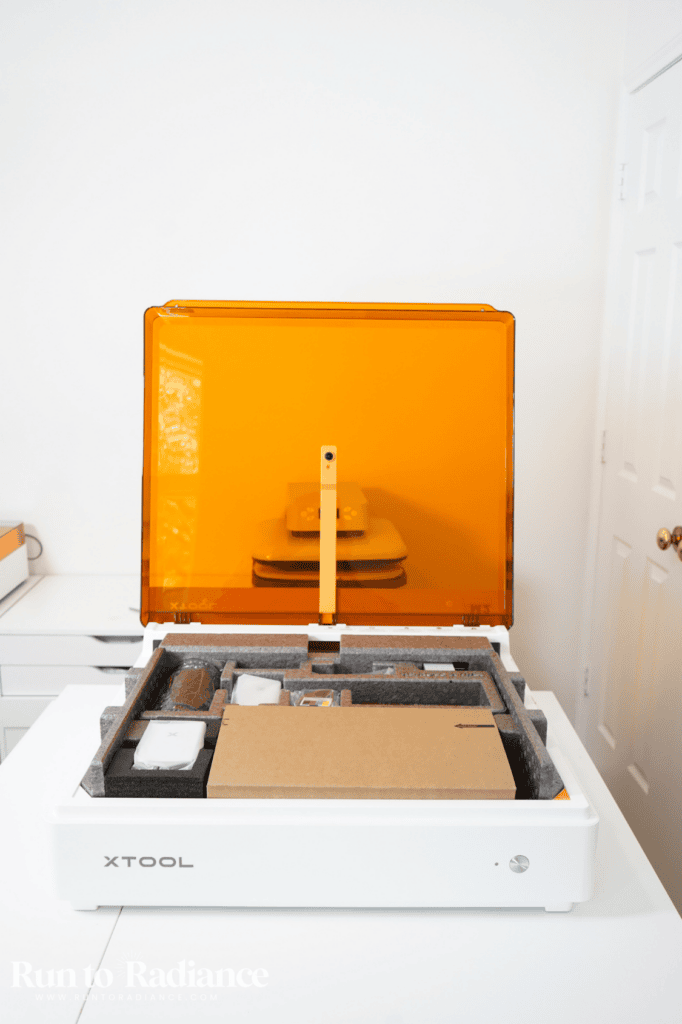
Why the xTool M2 Is Perfect for Christmas Gifts
I’ll be honest: when you hear “laser” and “inkjet” in the same sentence, it can sound a little intimidating. But don’t be scared! I’m here to break it down, and it’s not as hard as you think!
The M2 has three main ways to make things:
- Laser mode engraves designs into wood and leather and cuts out shapes (hello, ornaments!). The laser comes in 10w or you can upgrade to a 20w module.
- Inkjet mode prints full-color photos, patterns, and artwork, so you get color without picking up a paintbrush
- IR mode is made for metal projects like jewelry and engraved dog tags. I don’t have it yet, but if metal gifts are on your wish list, it’s worth a look!
Put those together, and you can cut out an ornament AND print a photo on it, all on the same machine. That’s what makes these gifts look like you ordered them from a boutique.
So, let’s get into my favorite personalized Christmas gifts to make with the xTool M2!
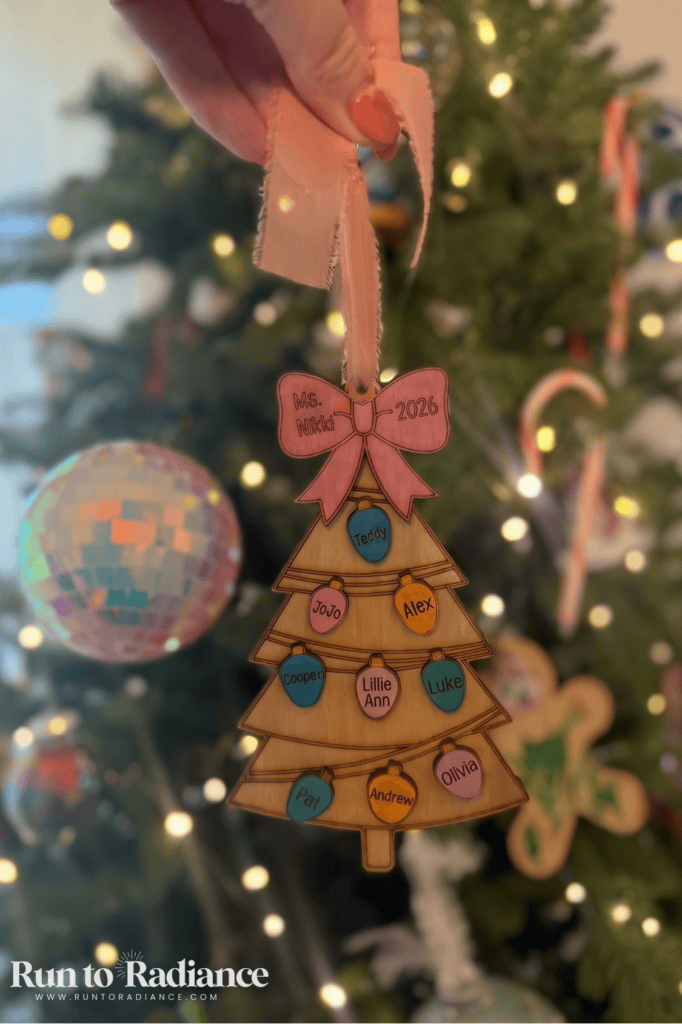
1. Personalized Wooden Christmas Ornaments
- Best for: Grandparents, teachers, neighbors, besties, moms
- M2 mode: Laser engrave + cut (add inkjet for color)
- Material: Basswood
- Skill level: Beginner
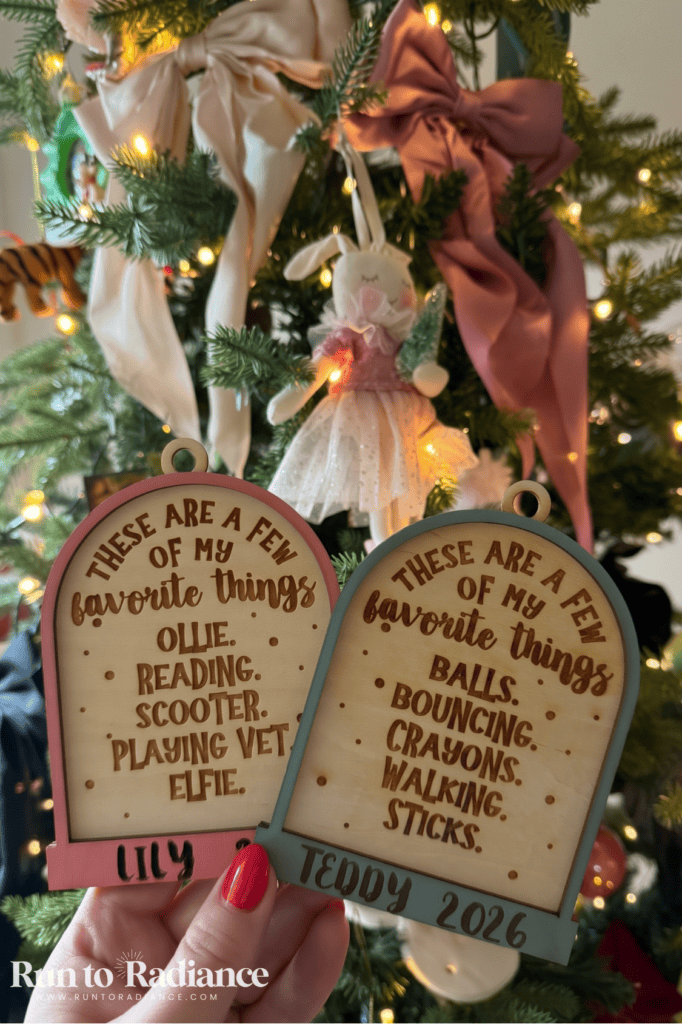
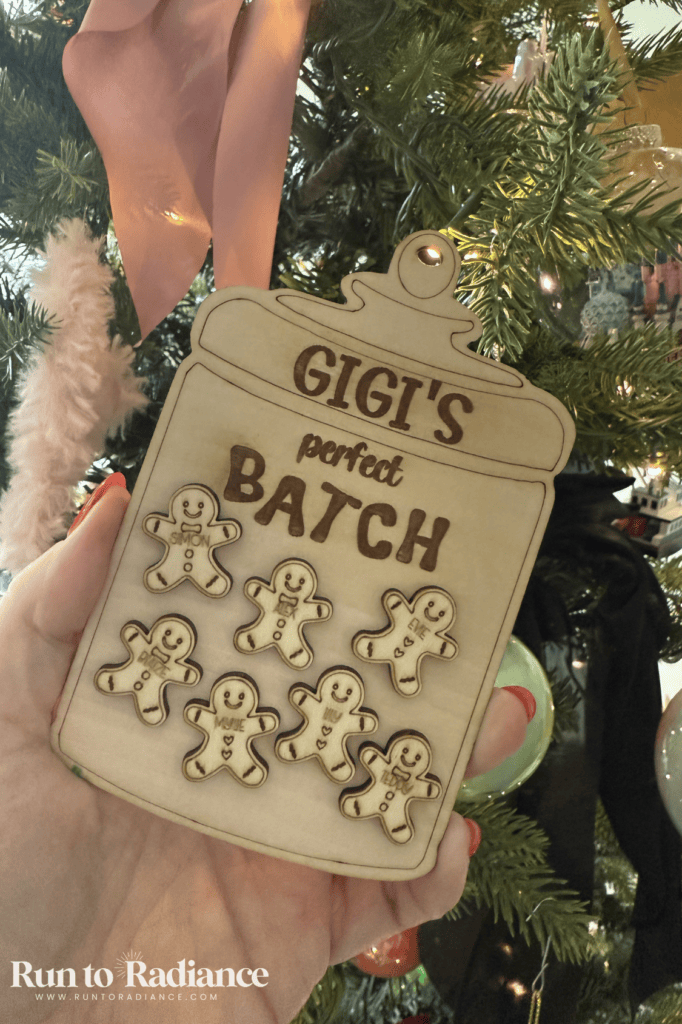
I LOVE making custom ornaments for people! I have made them for my own friends and family, and also have sold quite a few on my Etsy shop as well as via my neighborhood page.
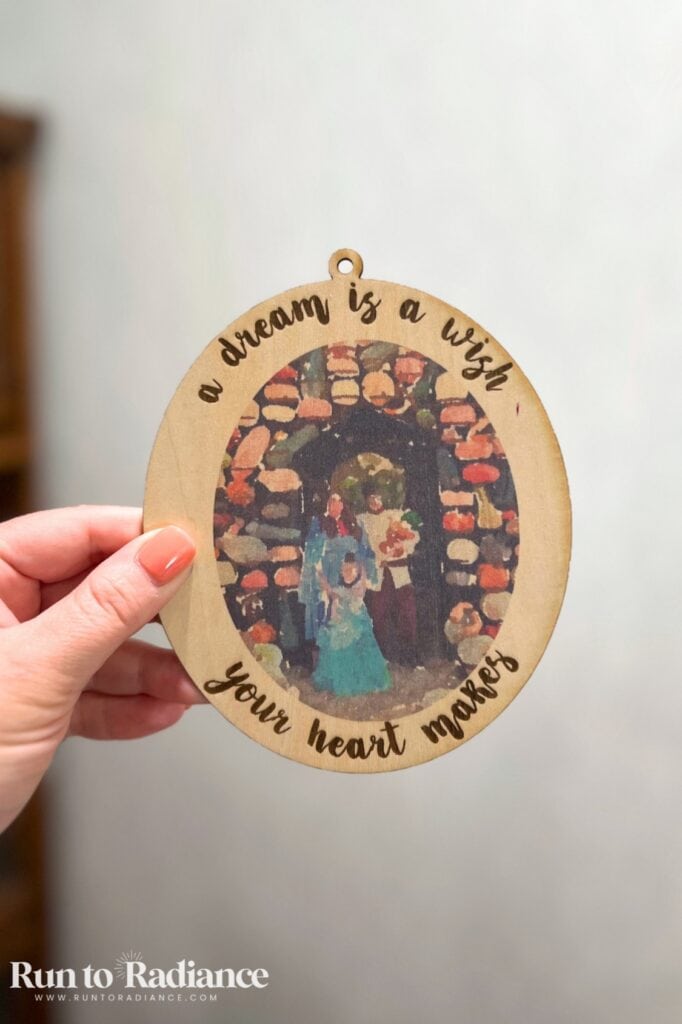
Personalized ornaments are the easiest place to start. Add a family’s last name, a child’s name, a special date, or a sweet gingerbread design.
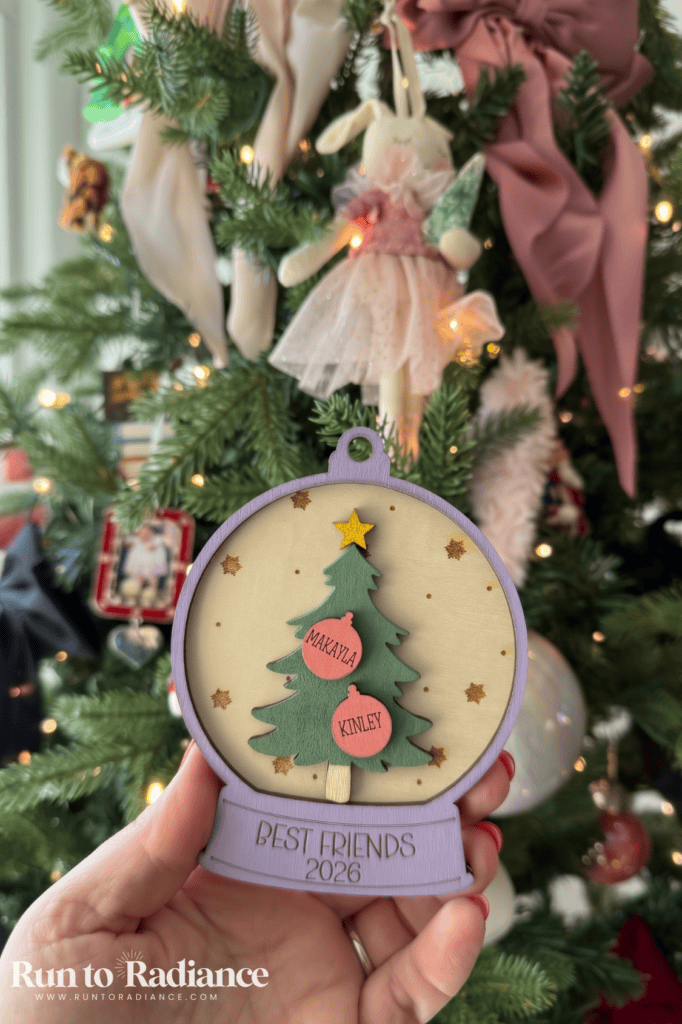
These are some of my favorite wooden ornament ideas for a long gift list, too. You can cut several ornaments from a single sheet of basswood, so batching gifts for the whole group is totally doable!
You’ll need: Basswood sheets, ribbon or twine, inkjet module or acrylic markers, and your xTool M2.
2. Paint-Your-Own Ugly Sweater Ornaments
- Best for: Kids, class parties, grandparents
- M2 mode: Inkjet print + laser cut
- Material: Basswood + craft paint
- Skill level: Beginner
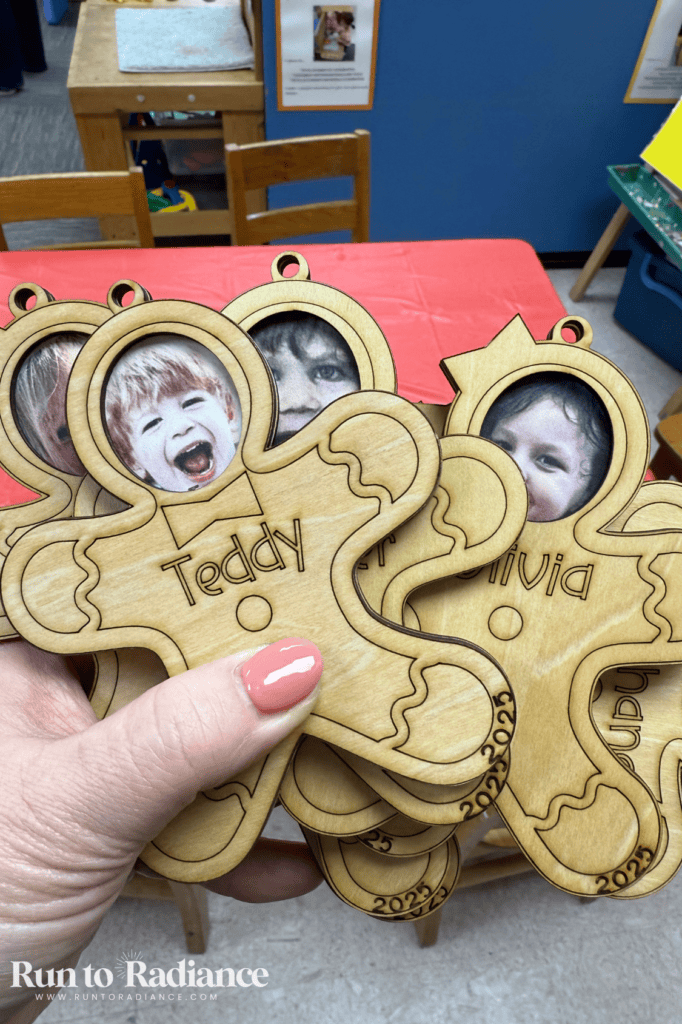
This one was a HUGE hit, you guys! I made these for my daughter’s 2nd grade Christmas party and my son’s Pre-K 3 party.
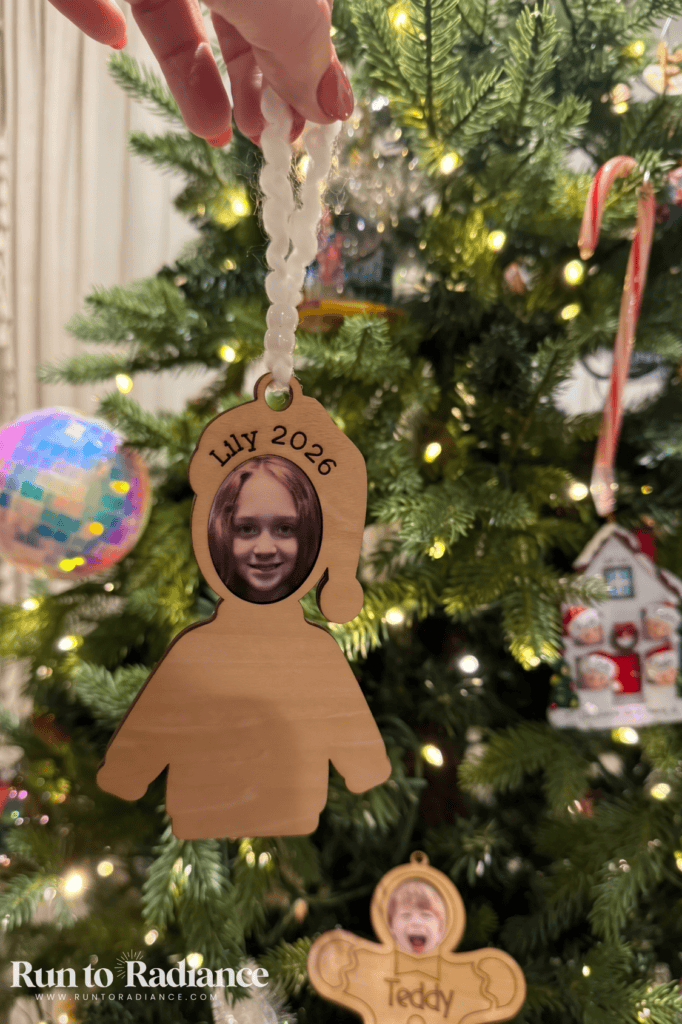
Each ornament had the child’s face printed at the top and a blank sweater body for them to decorate with paint, glitter glue, and pom poms. The kids had an absolute blast, and the parents loved taking home a keepsake with their kiddo’s face on it!
You could also bundle a few blank ornaments with paint and brushes into a little DIY ornament kit. It’s a gift and a Christmas activity all in one.
Quick tip: If you’re making these for a class, ask parents to send a simple headshot of each child a week or two ahead. That gives you plenty of time to print and cut!
You’ll need: Basswood sheets, craft paint, brushes, and your xTool M2.
Want even more inspiration? Check out this post with 20+ Christmas ornaments for kids.
3. Personalized Santa Cookie Board
- Best for: Families with little ones, a baby’s first Christmas, a first Christmas in a new home
- M2 mode: Laser engrave
- Material: Wooden cutting board
- Skill level: Beginner
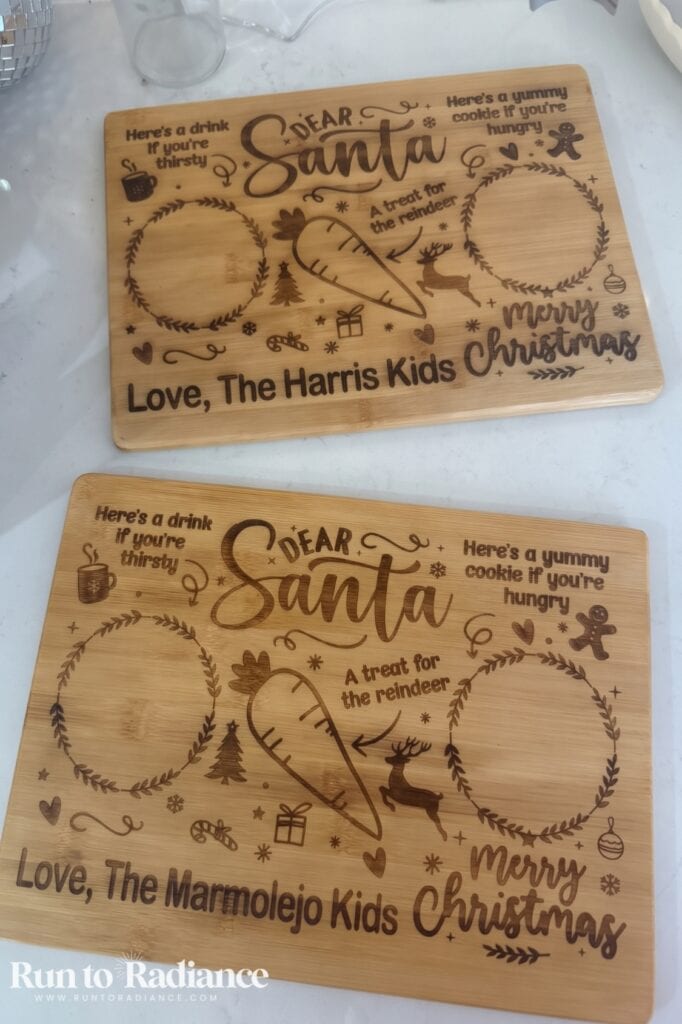
How cute is a special board just for Santa’s milk and cookies? You’ll pull this one out year after year!
Engrave a festive design, a message for Santa, or the kids’ names. It’s the kind of gift that starts a new family tradition.
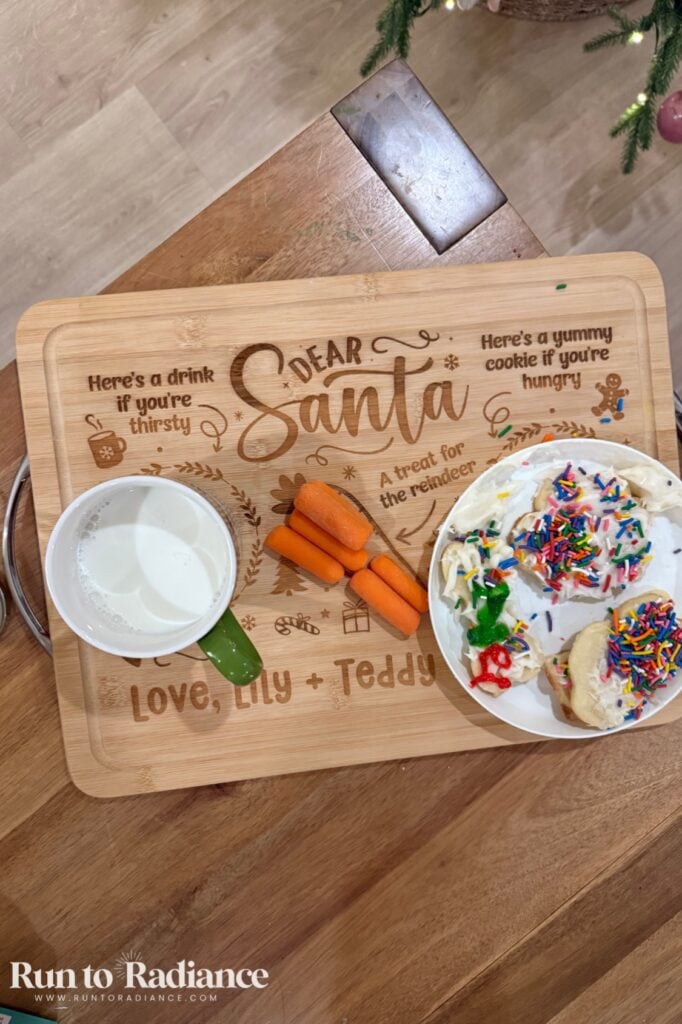
What to know before you grab that laser: Engrave first, then finish. I used a cutting board from Amazon and treated it with Walrus Oil Cutting Board Oil after engraving. It conditions the wood and is made for surfaces that touch food.
You’ll need: A wooden cutting board, cutting board oil, and your xTool M2.
4. Personalized Stocking Name Tags
- Best for: Families, kids, a first Christmas in a new home
- M2 mode: Laser engrave + cut
- Material: Basswood
- Skill level: Beginner
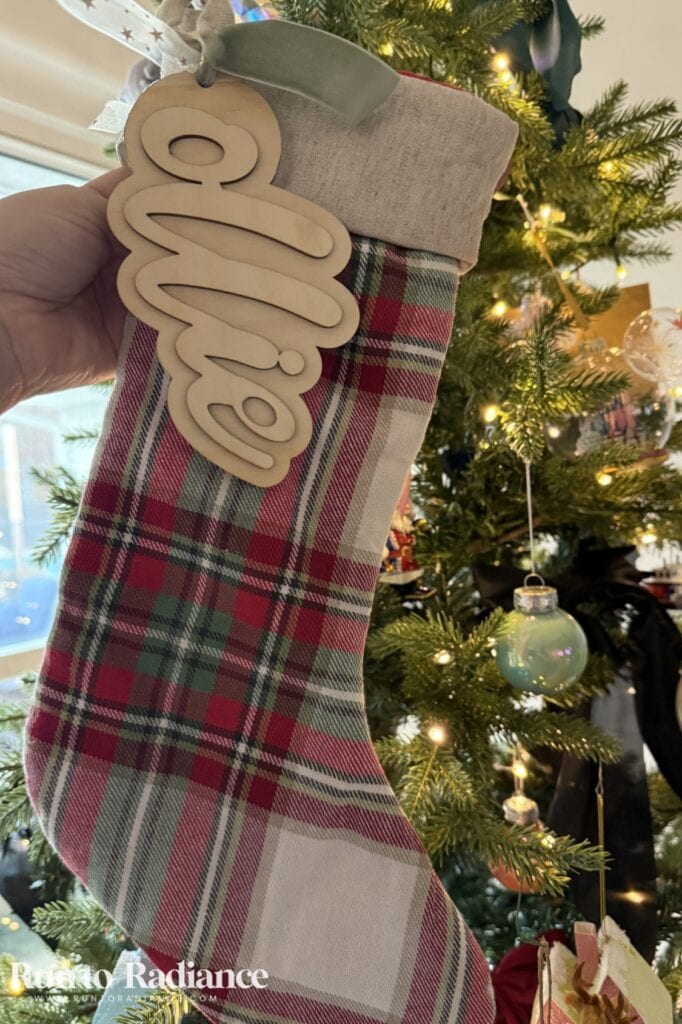
These are one of my favorite little Christmas morning upgrades! I made big wooden name tags to hang on stockings, each one engraved with a name.
They’re quick to batch, and they make a sweet gift for a family with a new baby or a family celebrating their first Christmas in a new home. Even better, they come out year after year.
Quick tip: Go big and simple with the font. A larger tag with clear lettering is easy to read from across the room.
You’ll need: Basswood sheets, ribbon or twine, and your xTool M2.
5. Monogrammed Cutting Board
- Best for: Newlyweds, housewarmings, moms, anyone who loves to cook
- M2 mode: Laser engrave
- Material: Wooden cutting board
- Skill level: Beginner
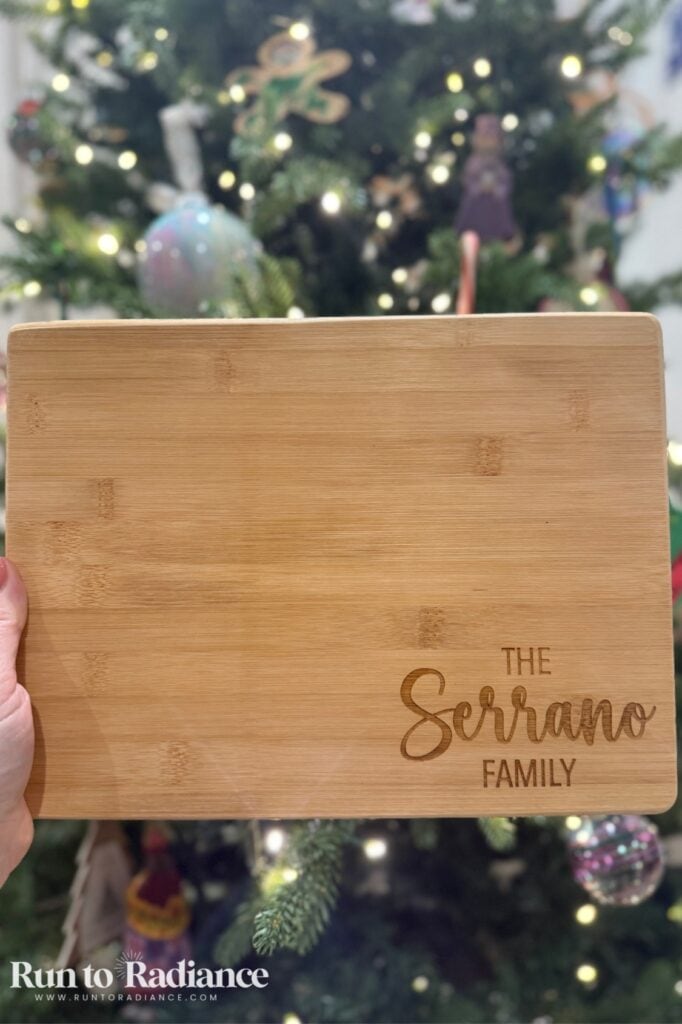
If you want a handmade gift that adults will actually use, this is it!
A simple monogram, family name, or meaningful date turns a plain board into something special. I used the same Amazon board and Walrus Oil finish as my Santa board.
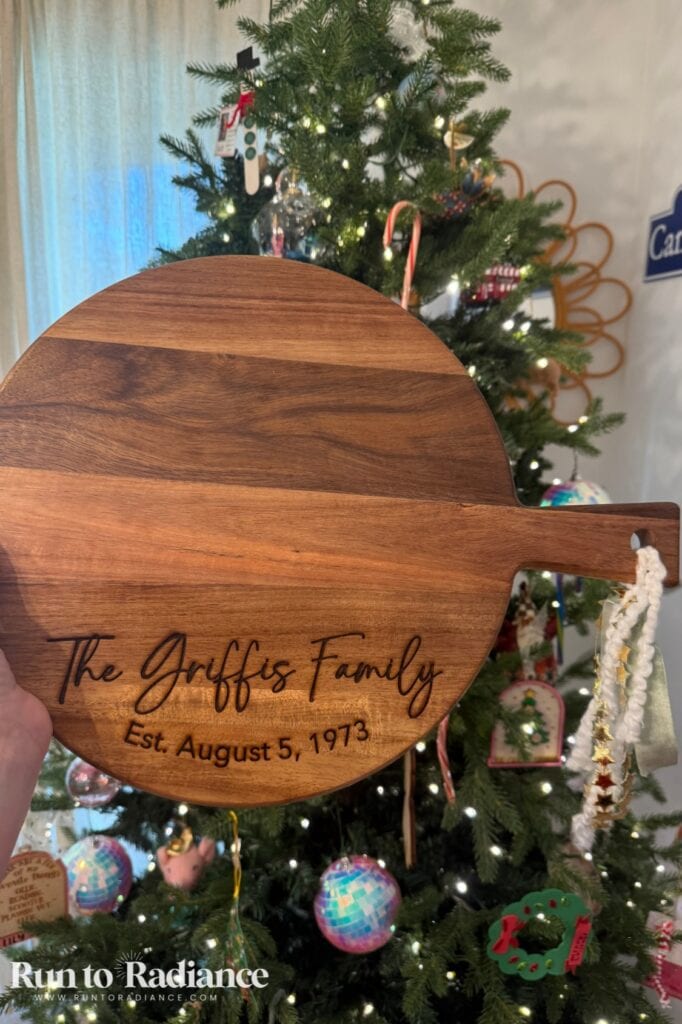
Want to make it extra special? Turn it into a gift basket with a pretty kitchen towel, a nice olive oil, and a favorite family recipe.
You’ll need: A wooden cutting board, cutting board oil, and your xTool M2.
6. Family Photo Printed on Wood
- Best for: Grandparents, parents, sentimental friends
- M2 mode: Inkjet print
- Material: Basswood + inkAid precoat
- Skill level: Intermediate
This might be my favorite sentimental gift on the whole list! I printed our family photo right onto wood, and it’s so much more special than a photo in a regular frame.
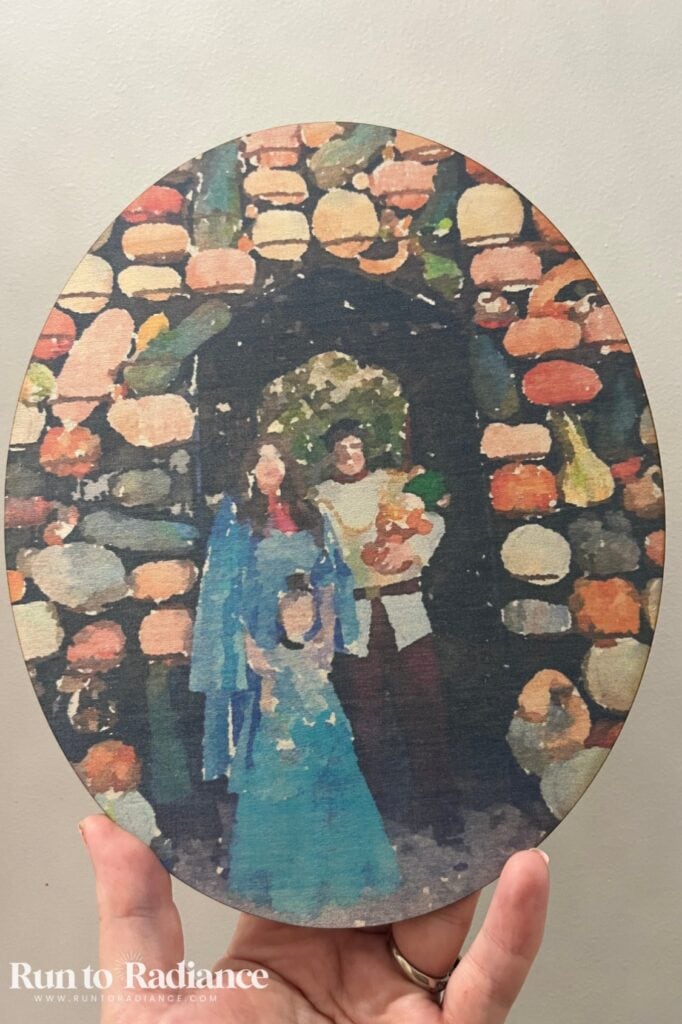
I tested several different inkAid precoats, and matte white gave me the crispest, brightest photo. But I also love the natural wood look, where the grain peeks through and makes it feel warm and cozy. Try both and see which you love!
You’ll need: Basswood sheets, inkAid precoat, and your xTool M2.
7. Personalized Picture Frames
- Best for: Grandparents, teachers, newlyweds, a baby’s first Christmas
- M2 mode: Inkjet print (+ laser cut if you make your own frame)
- Material: Basswood
- Skill level: Beginner
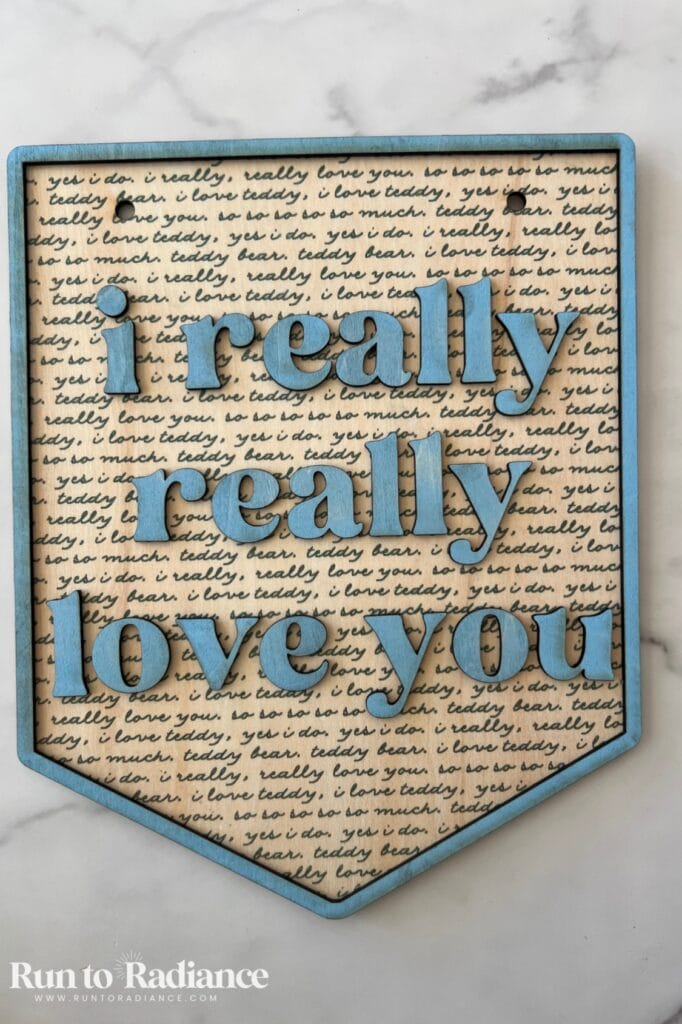
I printed a pretty pattern right onto my frame, and it instantly went from plain to boutique-worthy.
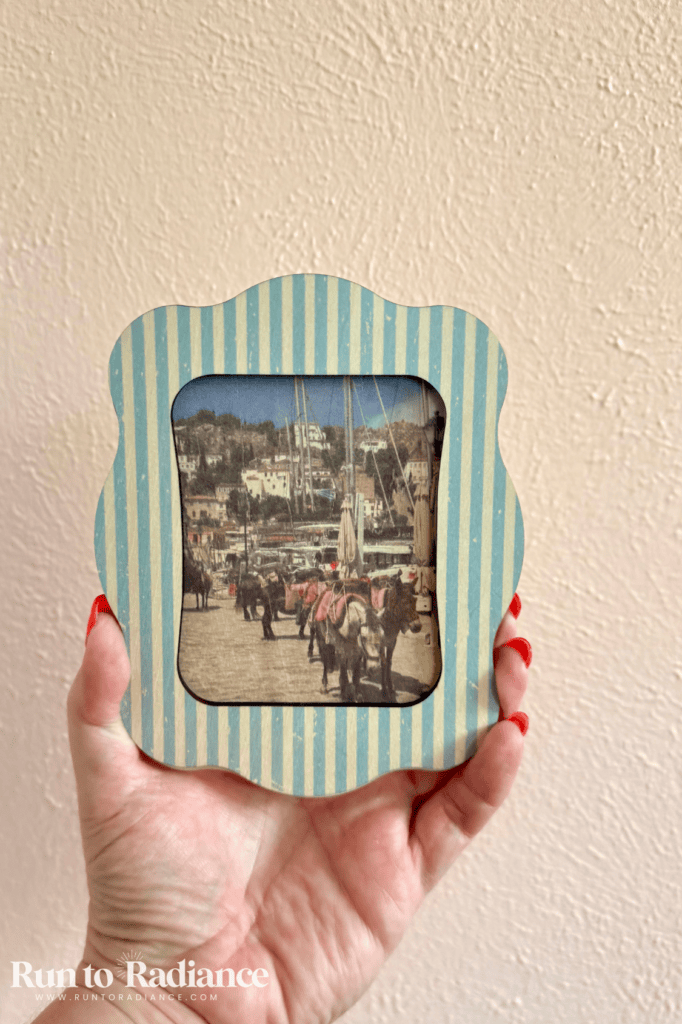
You can also add names, dates, or a short message. And since the photo inside can be swapped any time, it’s a gift that keeps getting used for years.
You’ll need: Basswood sheets to cut your own frame and your xTool M2.
8. Personalized Wooden Puzzles
- Best for: Kids, little ones, grandparents who love puzzles
- M2 mode: Inkjet print + laser cut
- Material: Basswood
- Skill level: Intermediate
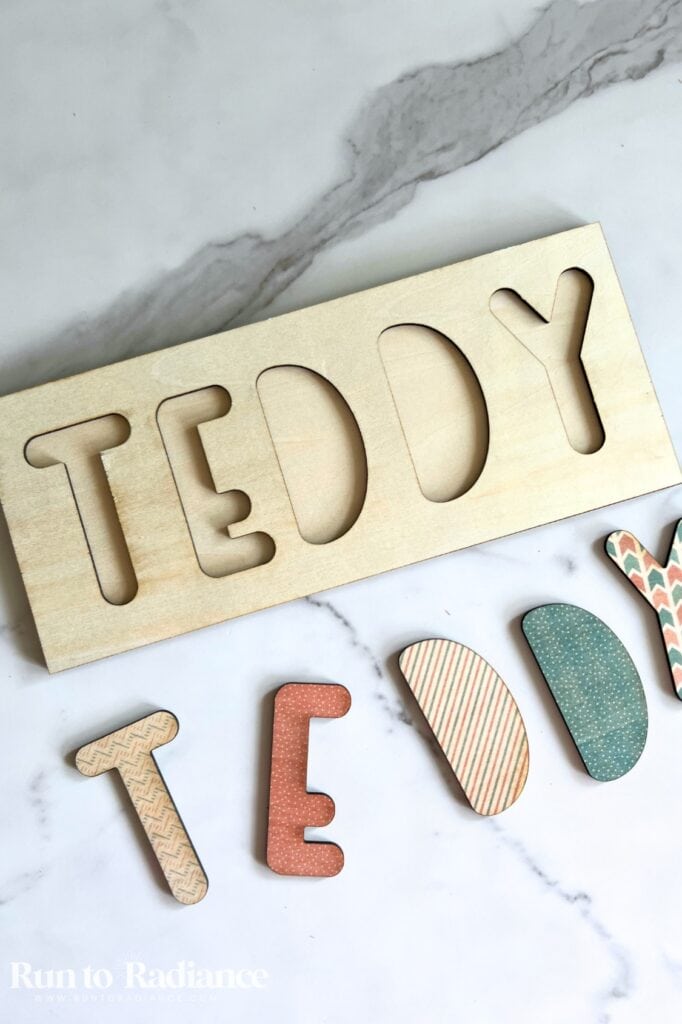
These are SO fun! I printed mine in full color, then laser cut the pieces right on the M2.
Use a family photo, a colorful illustration, the child’s name, or something based on their favorite things. You can make the pieces bigger or smaller depending on the age.
Quick tip: For toddlers and preschoolers, keep the pieces big and chunky so they’re easy to hold and safe to play with.
You’ll need: Basswood sheets and your xTool M2.
9. Christmas Card Keepsake Book
- Best for: Grandparents, sentimental friends, families who save every card
- M2 mode: Laser engrave + cut
- Material: Basswood, a binder ring, a hole punch
- Skill level: Beginner
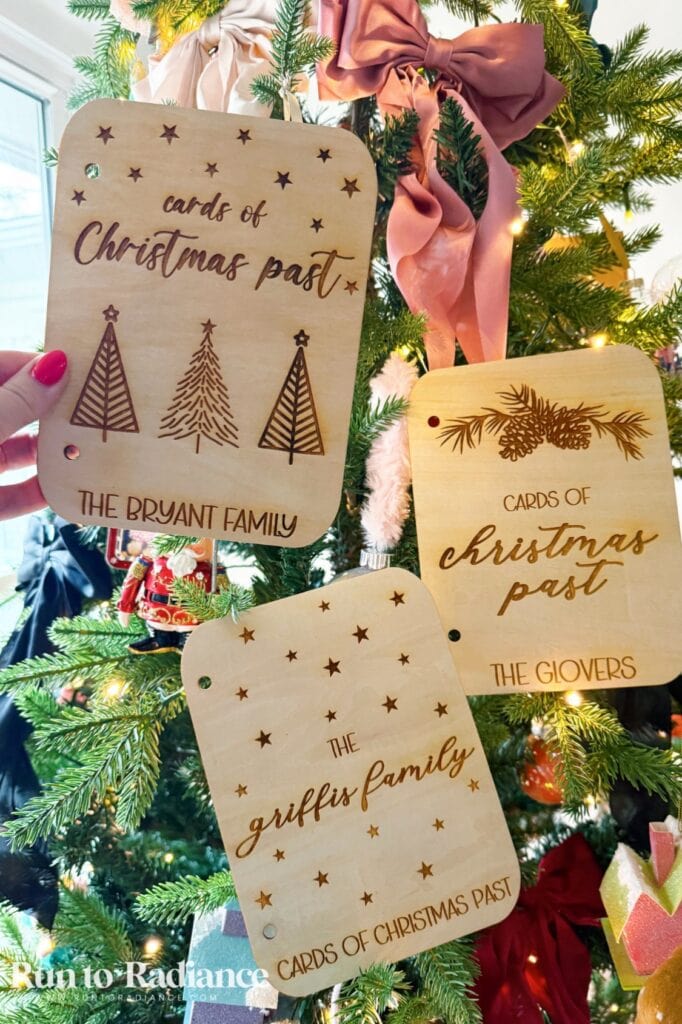
I LOVE this idea for anyone who saves their Christmas cards every year!
The design is simple: two basswood covers connected with a binder ring. Engrave the family’s name and a cute Christmas design on the front, then hole-punch the cards and slide them onto the ring.
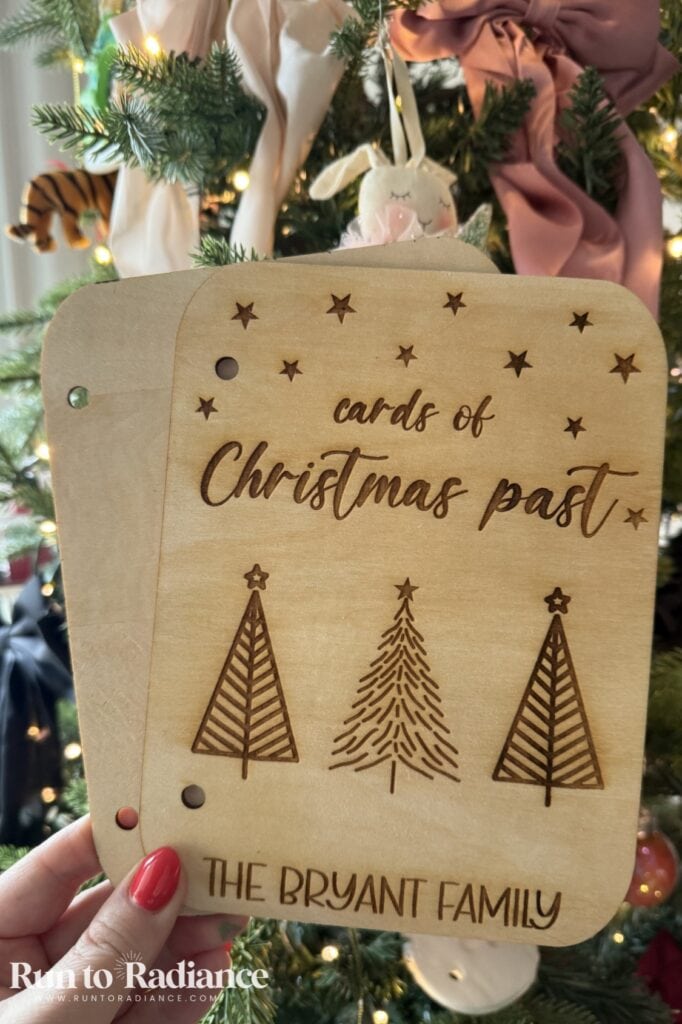
Every December, it becomes a little walk through years of family photos and holiday greetings. Such a sweet way to keep those memories out of the junk drawer!
You’ll need: Basswood sheets, a binder ring, a hole punch, and your xTool M2.
10. Personalized Potholders
- Best for: Bakers, hostesses, neighbors, stocking stuffers
- M2 mode: Laser engrave
- Material: Engravable leather patch (sticky back)
- Skill level: Beginner
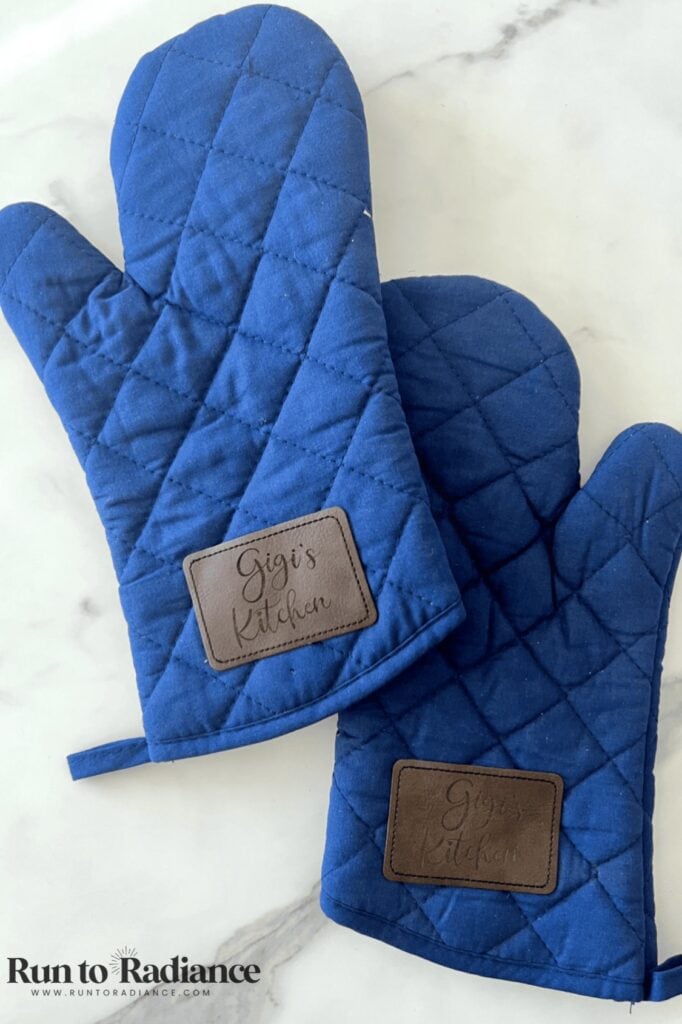
This is such a quick win! I engraved a leather patch that comes with a sticky back, then pressed it right onto a potholder.
Add a family name, a cute baking saying, or a little holiday design. Pair it with a baking mix or cookie cutters, and you’ve got an adorable hostess gift.
Quick tip: Place the patch on an area away from the part that touches hot pans.
You’ll need: Engravable leather patches, a potholder, and your xTool M2.
11. Custom Christmas Stickers
- Best for: Kids, teachers, stocking stuffers, gift wrap
- M2 mode: Inkjet print + laser cut
- Material: xTool matte sticker paper
- Skill level: Beginner
Custom stickers are one of the easiest personalized gifts to batch! I used xTool’s matte sticker paper, and they came out looking so professional.
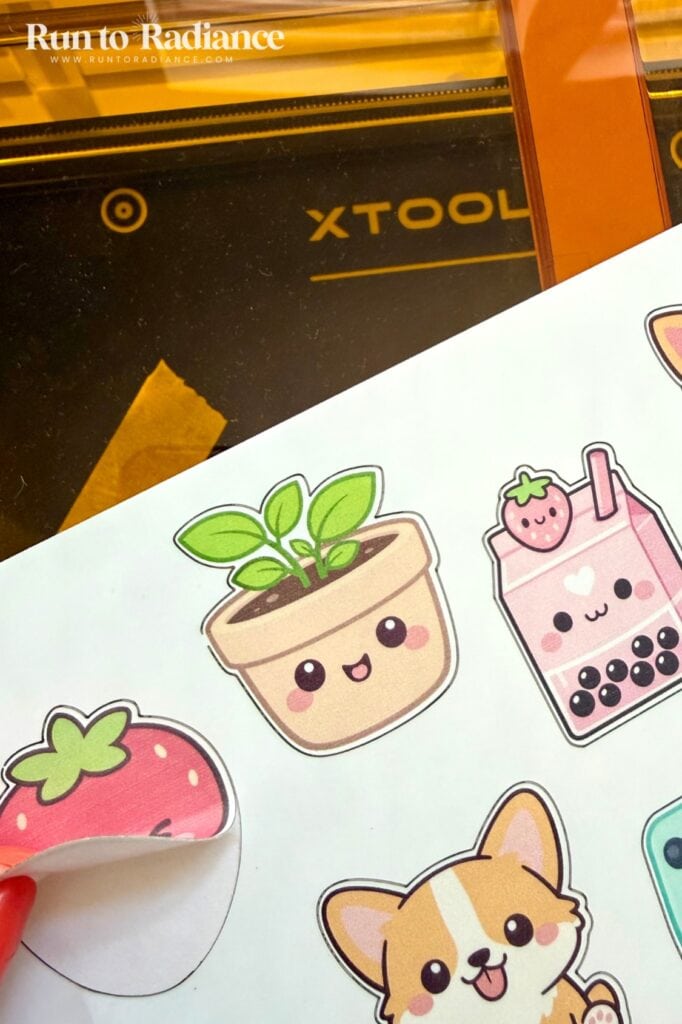
Make stickers with kids’ names, favorite animals, or holiday designs. Tuck them into stockings, add them to a craft kit, or use them to decorate gift tags and packaging.
You’ll need: xTool matte sticker paper and your xTool M2.
12. Custom Pet Portraits
- Best for: Dog and cat lovers, new pet parents
- M2 mode: Inkjet print
- Material: Thin canvas
- Skill level: Beginner
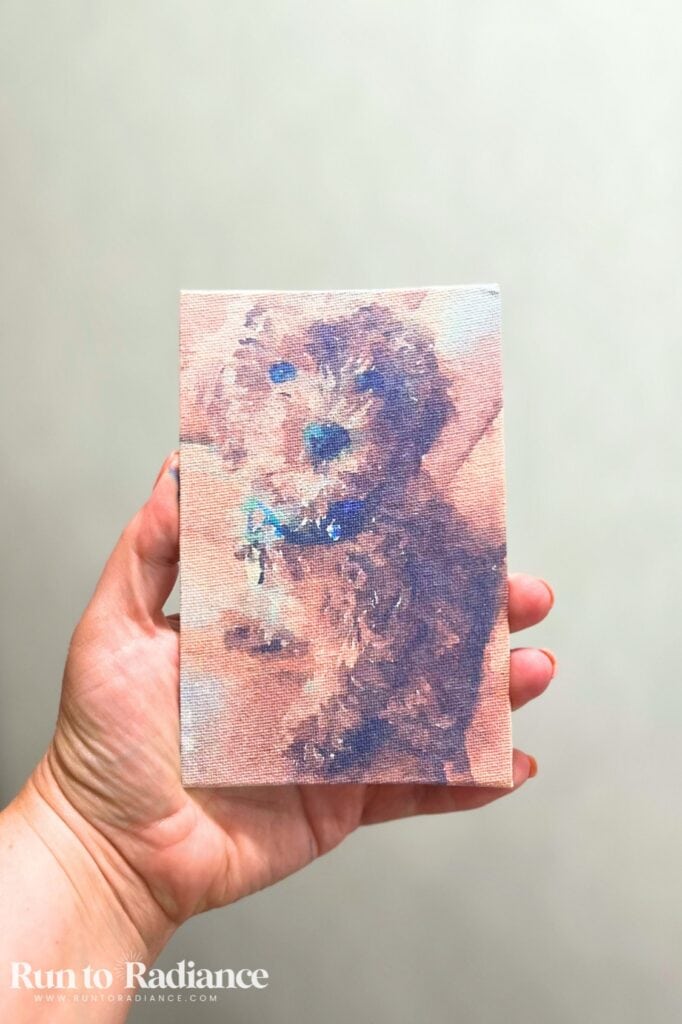
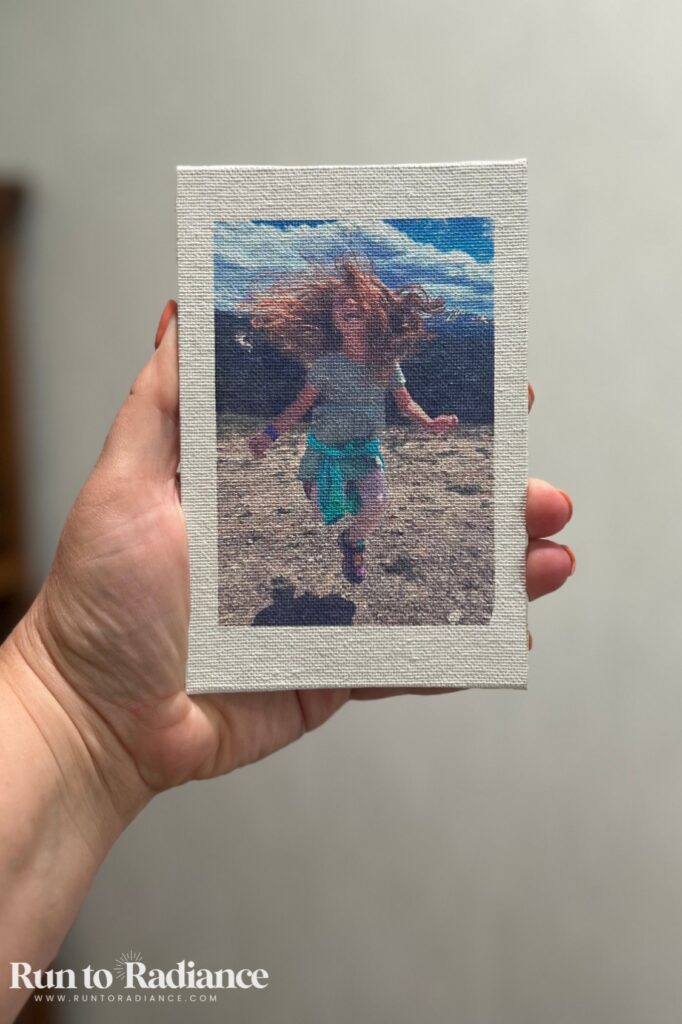
Don’t forget the furry family members! I printed a portrait of our pup, Ollie, on canvas, and it turned out SO cute.
Pick a favorite photo, add the pet’s name if you like, and you’ve got a gift any pet lover will display proudly.
You’ll need: Thin canvas panels and your xTool M2.
13. Engraved Wooden Gift Tags
- Best for: Everyone on your list, especially neighbors and teachers
- M2 mode: Laser engrave + cut
- Material: Basswood
- Skill level: Beginner
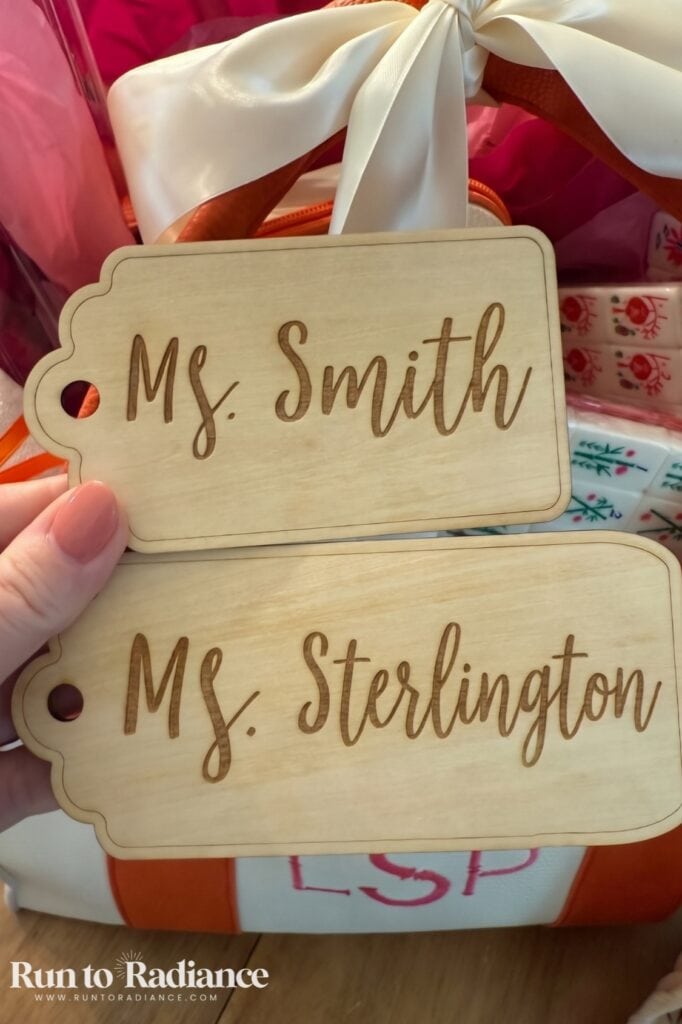
Here’s the perfect finishing touch! I made engraved wooden gift tags, and they turn any wrapped present into something extra special.
Add the recipient’s name, a sweet holiday message, or a little design. The best part? The tag becomes part of the gift. Hang it on the tree as an ornament, reuse it next year, or keep it as a little keepsake.
Quick tip: Cut a whole sheet of tags at once. They’re so fast to batch that you’ll have enough for every gift under the tree!
You’ll need: Basswood sheets, ribbon or twine, and your xTool M2.
Gift Ideas I’m Testing Next
I’m always dreaming up new things to make on the M2! Here’s what’s on my workbench right now. I’ll add each one to the list above (with photos!) as soon as it’s finished, so bookmark this post and check back.
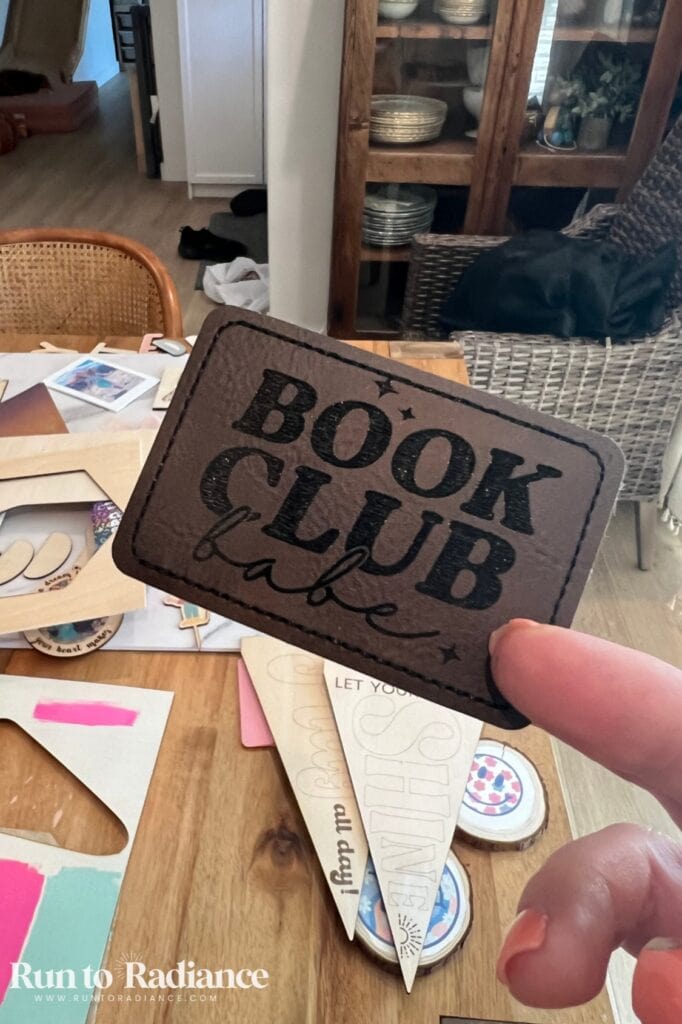
- Engraved wooden candle lids + printed candle labels: the perfect finishing touch for homemade candles. Pair them with my DIY candles tutorial!
- A real puzzle for grown-ups: 200+ pieces, printed in full color with a favorite photo
- Engraved wooden spoons: a sweet add-on for a baking gift basket
- Earrings: lightweight, laser cut statement earrings
- Engraved tumblers: personalized drinkware for teachers, coaches, and friends, made with the M2’s rotary attachment.
- Personalized bookmarks: a favorite book quote on wood makes the sweetest teacher or book-club gift.
- Personalized wooden keychains: quick, easy to batch, and perfect for stocking stuffers
- A wooden advent calendar: a countdown to Christmas the whole family can use year after year
- Kids’ artwork printed on wood: turn a favorite drawing into a keepsake grandparents will treasure
- A family recipe printed on a cutting board: think Grandma’s handwritten recipe, preserved forever
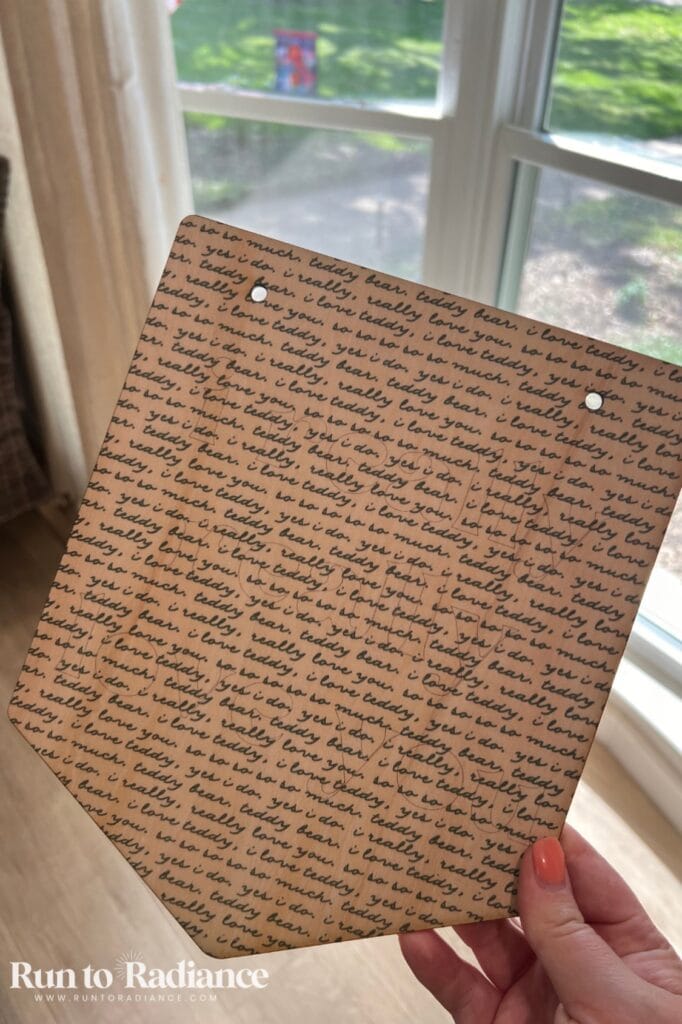
Which one should I make first? Tell me in the comments!
Laser Engraving vs. Inkjet Printing: Which Should You Use?
This is the question I get most about the M2, so here’s the quick version:
- Use laser engraving when you want a classic, natural look: names on ornaments, monograms on cutting boards, designs on leather. It burns the design into the material, so it never fades or rubs off.
- Use inkjet printing when you want color: family photos, patterns, puzzle artwork, stickers, and pet portraits.
- Use both when you want the best of both worlds, like printing a child’s face on an ornament and then laser cutting the shape around it.
The best part? You don’t have to choose a machine for each one. The M2 does both!
My Favorite Finds for Making xTool Gifts
These are the supplies I used for every project on this list. Worth every single penny!
- xTool M2: the machine that makes it all happen
- Basswood sheets: my go-to for almost every project here
- Wooden cutting boards
- Walrus oil cutting board oil: for finishing cutting boards after engraving
- inkAid precoat (matte white): for crisp, bright photos on wood
- xTool matte sticker paper: for professional-looking stickers. You can find other brands but MAKE SURE the material is marked as laser safe!!!
- Engravable leather patches: for potholders, hats, and more
- Binder rings: for the Christmas card keepsake book
- Craft paint and brushes: for the paint-your-own ornaments
- Thin canvas boards: for pet portraits or family photos. Make sure they are thin or they will not work with the inkjet module. I got mine at the Dollar Tree!
Is the xTool M2 Worth It for Making Christmas Gifts?
If you love making personalized gifts, my answer is yes!
I’ve had my M2 for about three months now, and it’s become my go-to for gifts. Being able to engrave AND print in color on one machine is the real game-changer.
At $499 and up, it’s an investment, albeit a worthy one, so let me give it to you straight: xTool isn’t discounting the M2 for Black Friday this year. There’s no reason to wait for a sale. If you want to make gifts this Christmas, now is the time!
And it’s not just a Christmas machine. You can use it all year for birthday gifts, teacher gifts, wedding keepsakes, and home decor. Engraved ornaments and personalized cutting boards are popular crafts to sell a year long!
Still deciding? My full xTool M2 review covers everything I’ve learned. Ready to buy? Purchase via the link below!
Frequently Asked Questions
Can the xTool M2 print in color?
Yes! The xTool M2 pairs a 10W laser with an inkjet printing mode, so you can print full-color photos, patterns, and artwork. I’ve printed on basswood, canvas, and xTool’s matte sticker paper. For the brightest photos on wood, apply a precoat like inkAid before printing.
What wood is best for laser engraved Christmas gifts?
Basswood is my go-to for almost every project, including ornaments, frames, puzzles, and keepsake book covers. It’s light in color, engraves cleanly, and takes paint and ink beautifully.
For cutting boards, use a solid wood board and finish it with a food-safe cutting board oil after engraving. I always recommend getting 2 or a multipack and using the back of one to test settings, then do engrave the front and gift it to yourself! 😉
Do you need to test settings on the xTool M2?
Yes, always run a quick test first. xTool’s recommended settings are a great starting point and are often spot-on, but every piece of wood and material behaves a little differently. Testing on a scrap piece protects your nicer blanks and saves you from having to remake a gift.
So, there you have it! The xTool M2 is my current favorite crafting tool—it’s super beginner friendly but has advanced features, and it’s just FUN to use!
Read my full xTool M2 review here!